
What a circle is in Telegram
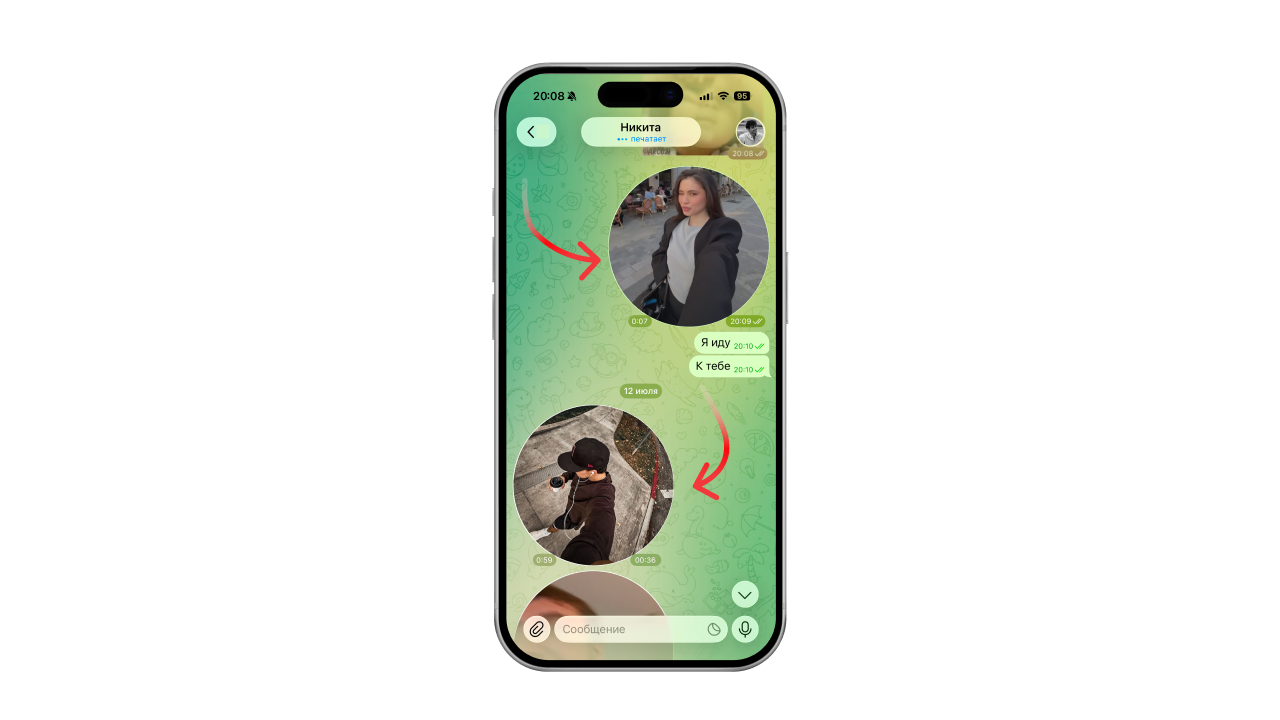
A circle is a round video message in Telegram, up to 1 minute long. Like a voice message, only with video.
With circles you can quickly show the other person yourself, your emotions and what is happening around you.
How to record a circle on iPhone
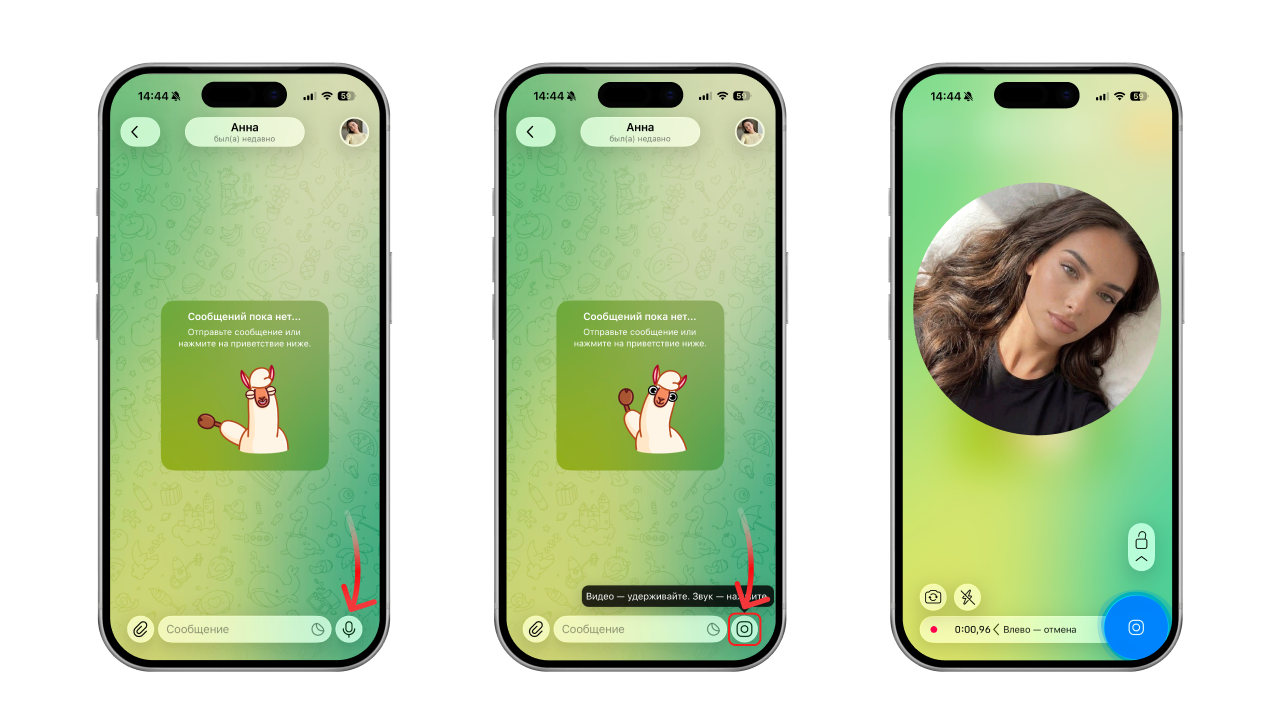
- Open a chat
- Tap the microphone icon in the bottom right corner — it will switch to a camera
- Press and hold the camera icon
The circle keeps recording for as long as you hold your finger down. Release your finger and the message is sent to the chat.
How to record a circle on Android
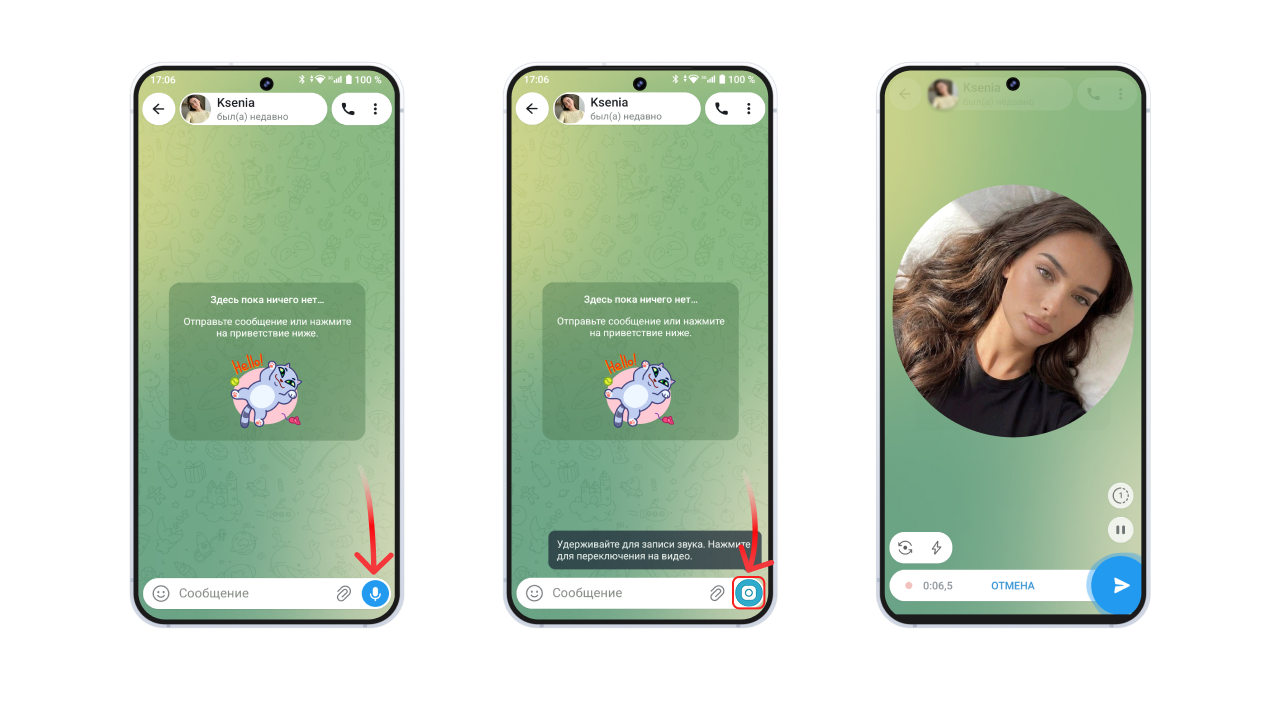
- Open a chat
- Tap the microphone icon in the bottom right corner — it will switch to a camera
- Press and hold the camera icon
The circle keeps recording for as long as you hold your finger down. Release your finger and the message is sent to the chat.
How to shoot circles: switching cameras, zoom, lock
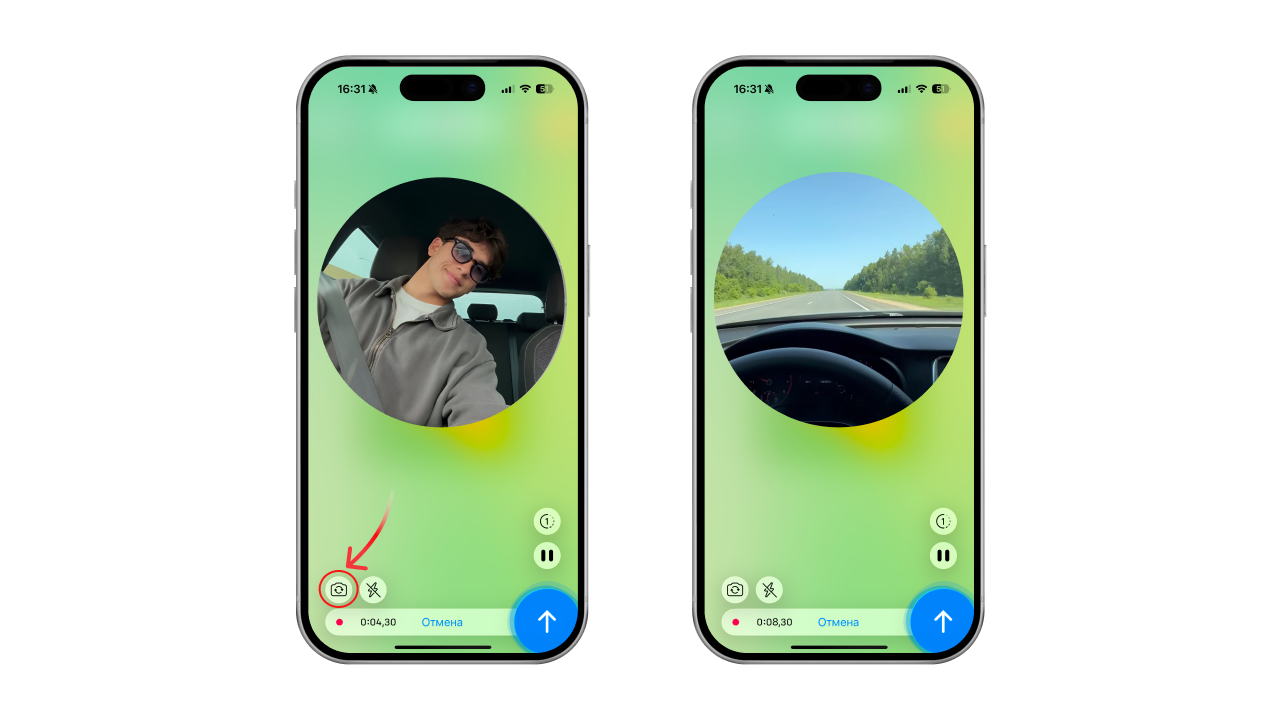
Switching cameras
While recording a circle you can switch between the front and rear camera — to show what is going on on both sides. Tap the button with the arrows:
Zooming in
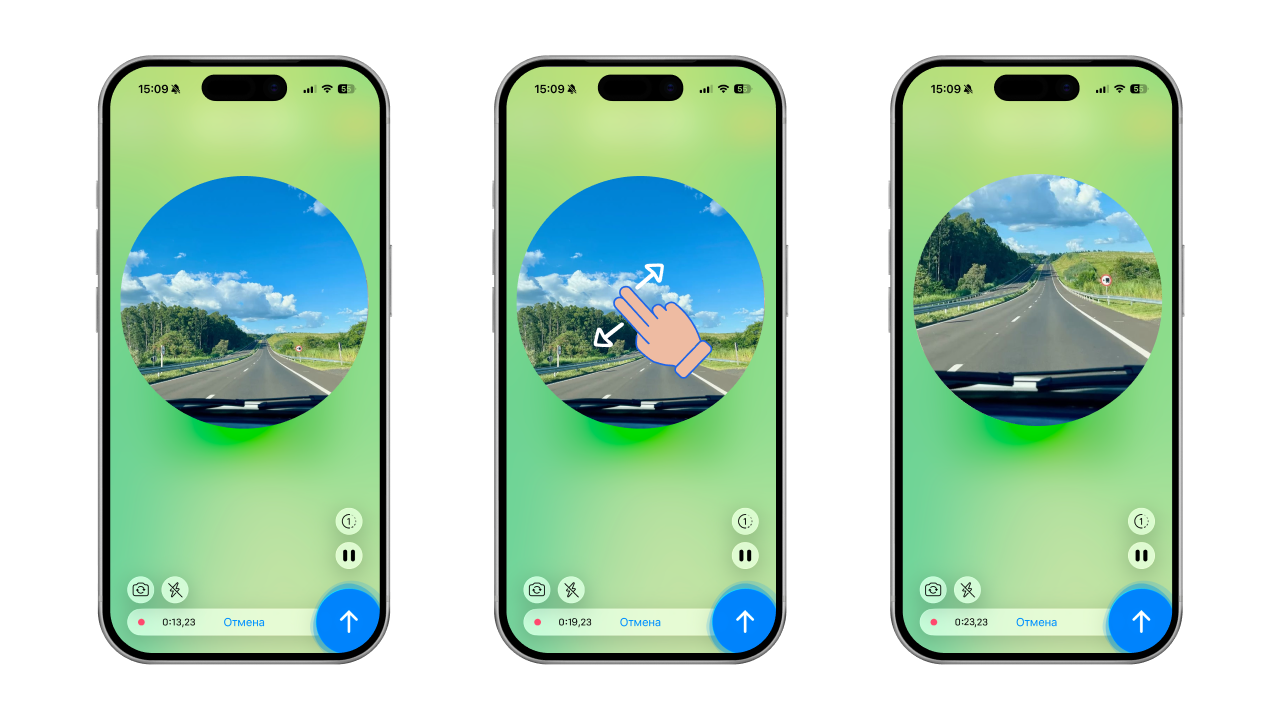
If you want to zoom in while recording a circle, put two fingers on the circle and spread them apart — the same way you do when viewing a photo.
To zoom out, pinch your two fingers together instead.
Hands-free recording (lock)
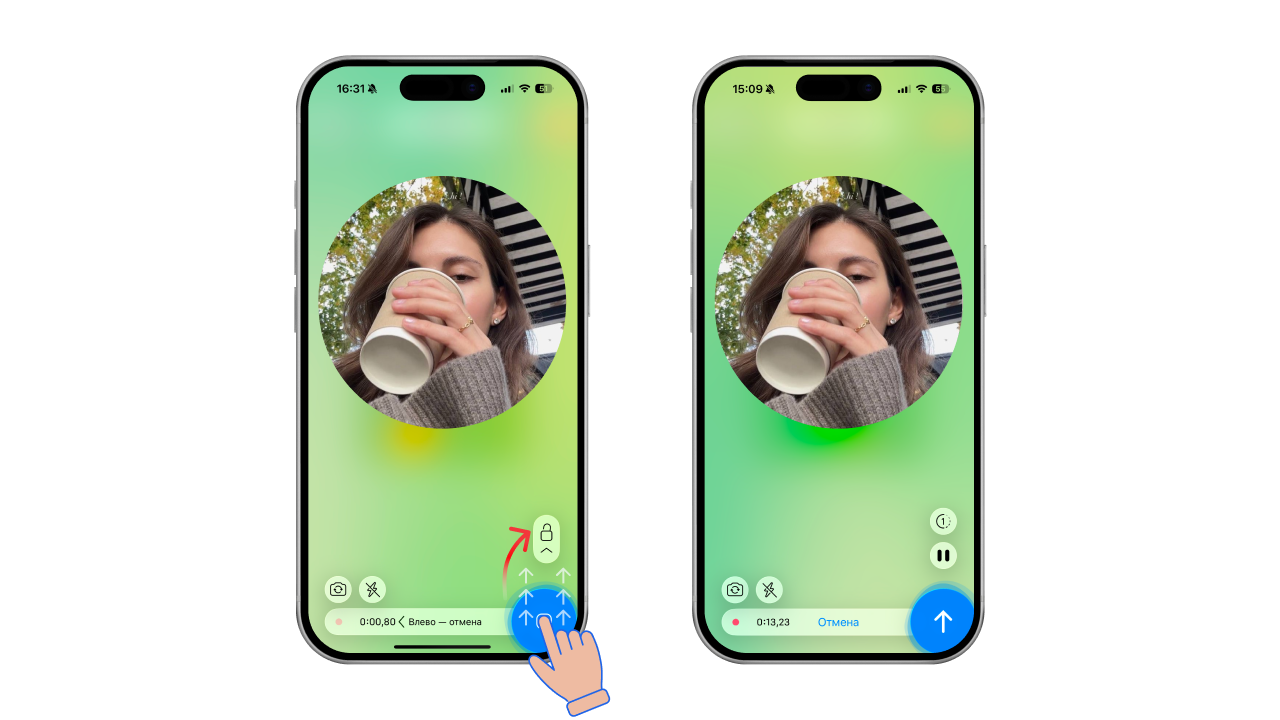
To record a circle without holding your finger on the screen, start the recording, then swipe your finger up to the lock icon and release. Recording continues until you send the circle or the time runs out.
Why a circle won't record
- No camera or microphone access: go to your phone Settings ➔ Apps ➔ Telegram ➔ Permissions and turn on the "Camera" and "Microphone" toggles.
- The microphone is busy: if Zoom, Skype or a game with voice chat is minimised in the background, Telegram will not be able to start recording. Close the background apps.
- The messenger cache is full: if the Telegram cache has eaten all the free memory and there is no space left on the phone, the temporary recording file cannot be created. Go to Telegram Settings ➔ Data and Storage ➔ Storage Usage ➔ Clear Cache.
- Group restrictions: if circles fail to send in one particular chat, the group admin has disabled sending media for members.
How to make a circle from a video
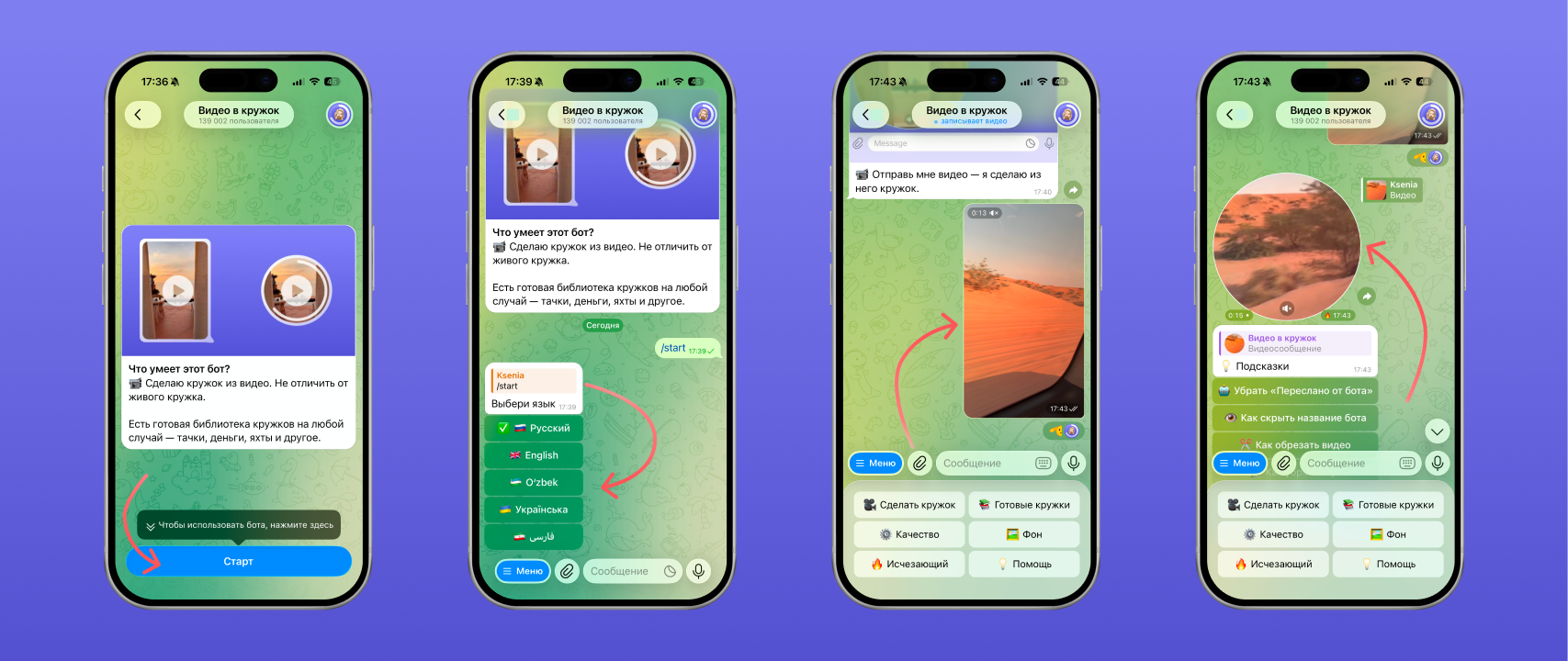
To turn a regular video into a circle you will need the free Telegram bot "Video to Circle". The bot is available at this link — t.me/VideoToVideoMessageBot
Once you have opened the link, start the bot → choose your language → send it any video.
The bot will reply with a circle that you can forward to your friends:
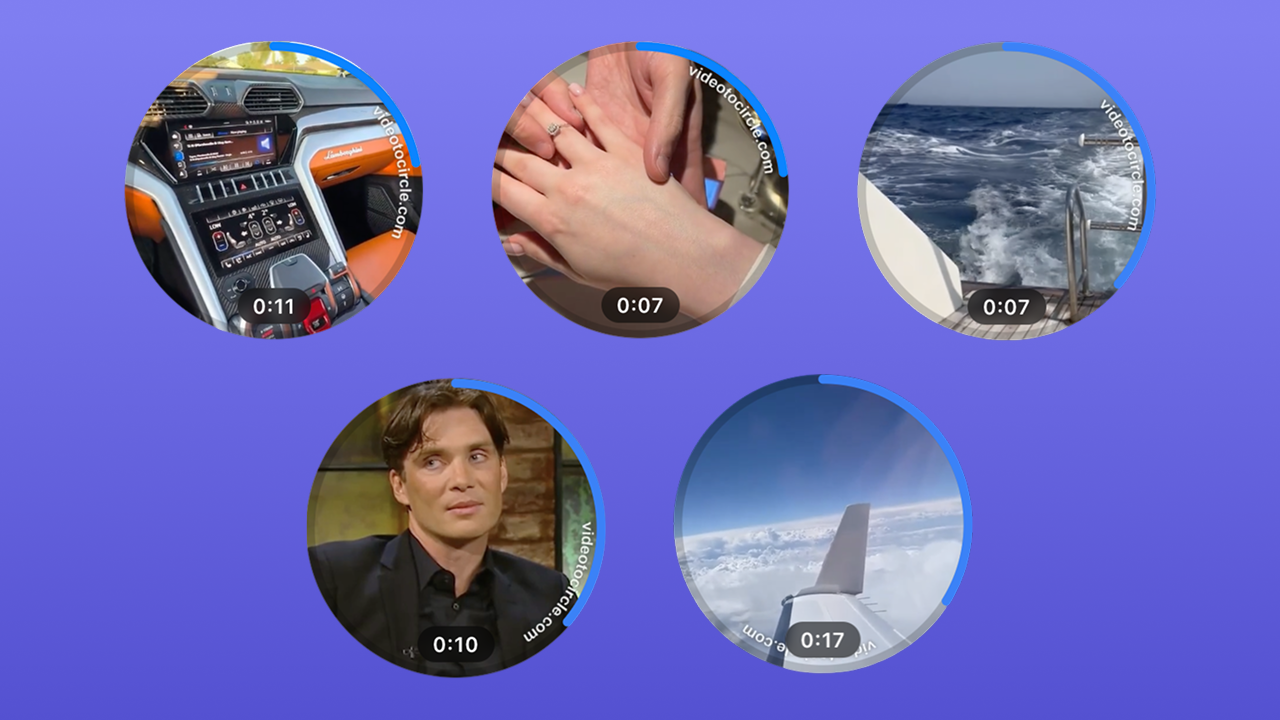
Besides making circles from your own videos, you can pick a ready-made circle from the catalogue for a prank: with a car, a trip or just a meme.
The bot also has guides on how to forward a circle, make a circle without sound or trim a video.
FAQ
Can you send a circle?
Yes — either record one from scratch or make a circle out of an existing video with the "Video to Circle" bot.
How long is a circle?
A circle is limited to 60 seconds.
Once they run out you can record the next one. The number of circles is not limited.
What video format do you need for a circle?
When you record a circle in Telegram, there is no video format to choose.
When you make a circle from a video with the "Video to Circle" bot, you can upload a video in any format.
See also
- How to delete, trim and save a video message on Telegram
- Disappearing video messages on Telegram: how to send a one-time one
- How to make a 60 fps video message on Telegram without lag
- How to forward a video message without the “Forwarded” label on Telegram
- Reactions in Telegram video messages: how to turn them on with gestures
- Why a video message won’t send on Telegram and what to do