
Why the “Forwarded” label appears on a video message
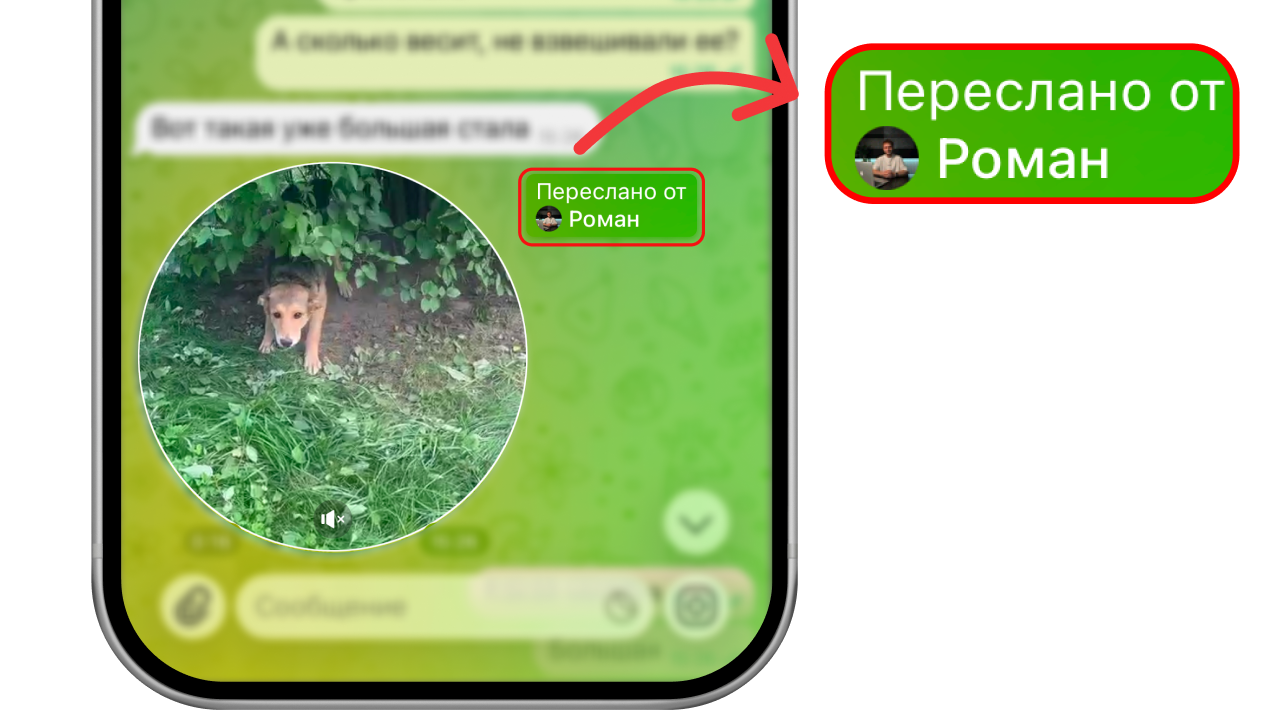
The “Forwarded” label on a video message in Telegram means that the person you are chatting with did not record the video message themselves, but simply forwarded someone else’s message — another person’s, a bot’s, or a post from a channel.
If you tap the “Forwarded” label, you can go to the profile of the person, the bot or the channel it was forwarded from.
How to forward a video message without the label
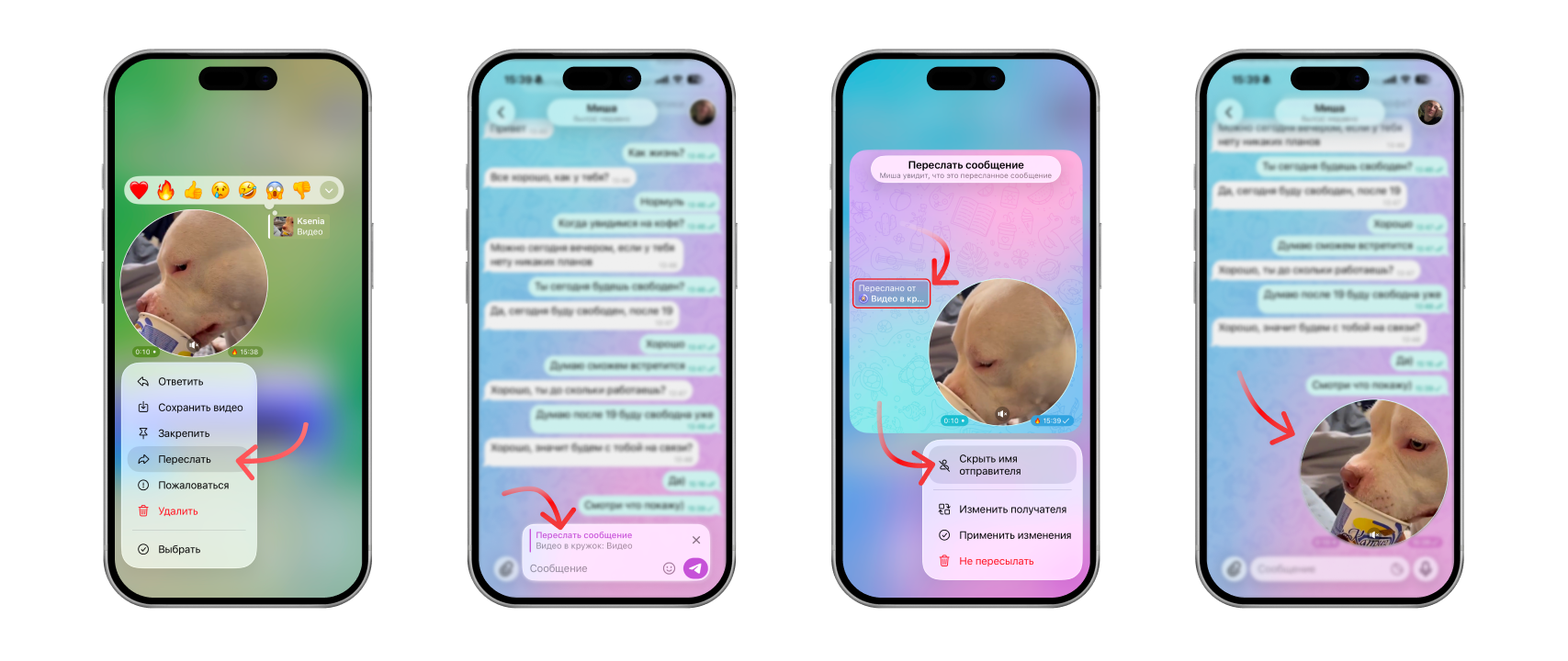
- Press and hold the video message
- Tap “Forward” and choose the chat you need
- Before sending, tap the “Forward message” bar above the chat input field
- Select “Hide sender name”
The “Forwarded” label will disappear, and the video message will be sent to the chat without it.
If you run into problems while sending, read our article “Why a video message won’t send on Telegram and what to do”.
Why forward a video message without the label
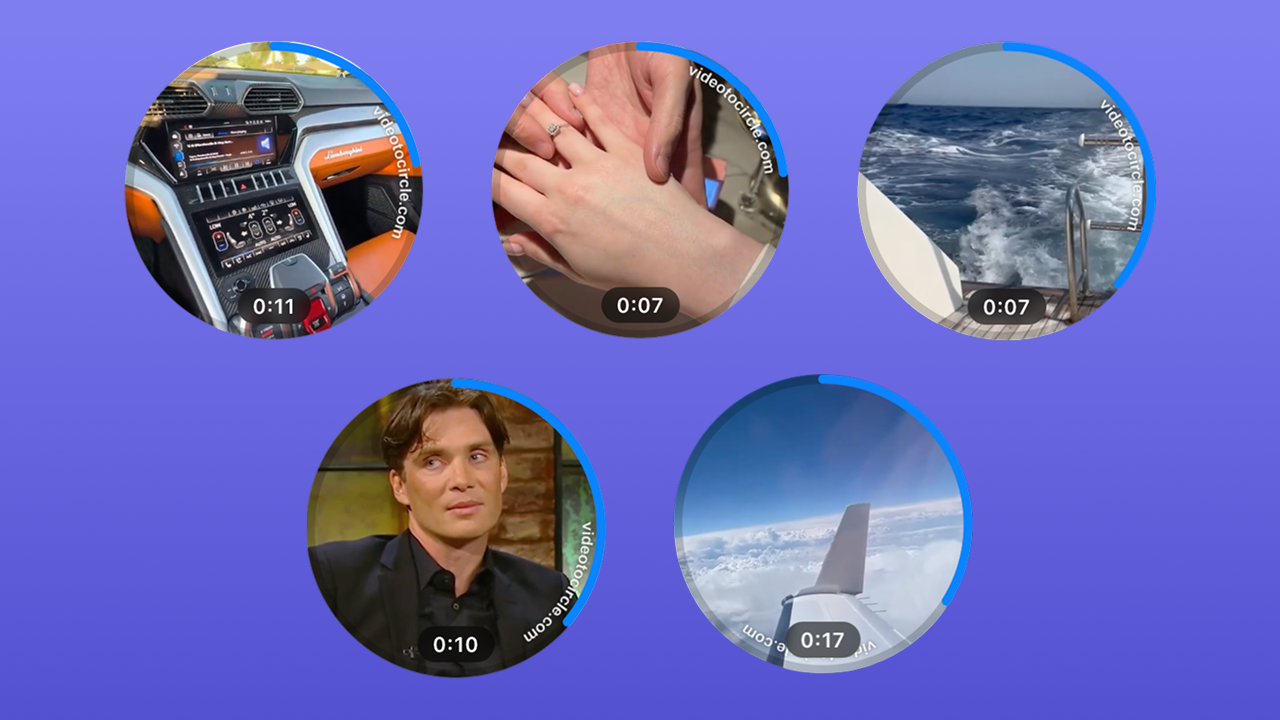
To keep the author of the message anonymous, or to prank your friends with a ready-made video message from the “Video to Circle” bot catalogue: with a car, a trip or just a meme.
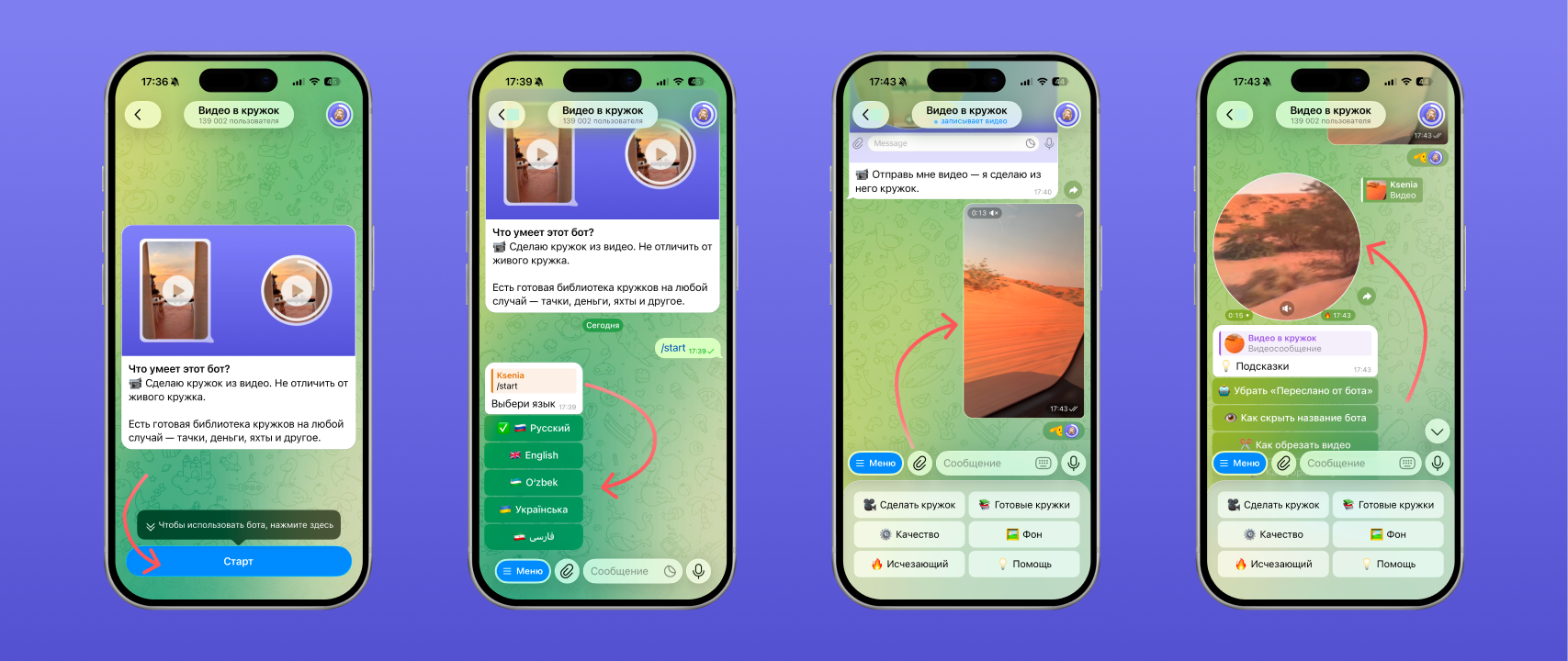
The bot can also turn any video you send it into a video message. If you hide the label, it will be indistinguishable from a real one. You can try it here — “Video to Circle”
FAQ
Can you forward a video message?
Yes, you can. Press and hold the video message, tap “Forward” and choose the chat you need.
How do I forward a video message to VK?
You cannot forward a video message from Telegram to VK directly. But you can send it from your gallery: first save the video message to your phone, then send it to VK.
How do I forward a video message to WhatsApp?
You cannot forward it directly, but you can save it to your phone’s gallery and then send it to WhatsApp.
See also
- How to delete, trim and save a video message on Telegram
- Disappearing video messages on Telegram: how to send a one-time one
- How to make a 60 fps video message on Telegram without lag
- How to record a video message (circle) in Telegram on iPhone and Android
- How to make a video message from a photo on Telegram
- Reactions in Telegram video messages: how to turn them on with gestures
- How to record a video message in MAX and make one from a video
- Why a video message won’t send on Telegram and what to do
- How to record a video message with music on Telegram