
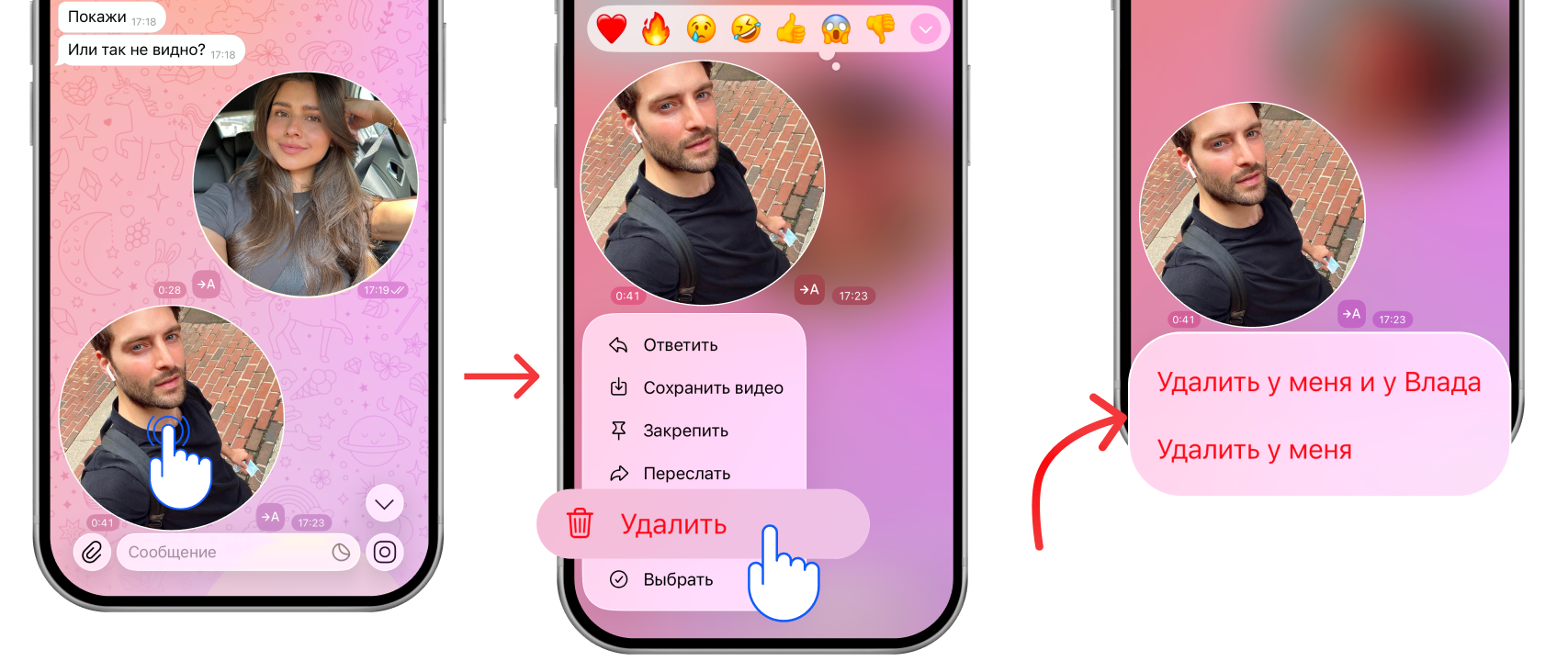
How to delete a video message
- Press and hold the video message
- Tap “Delete” in the menu that appears
- Choose whether to delete the video message only for you or for the other person as well
How to trim a video message
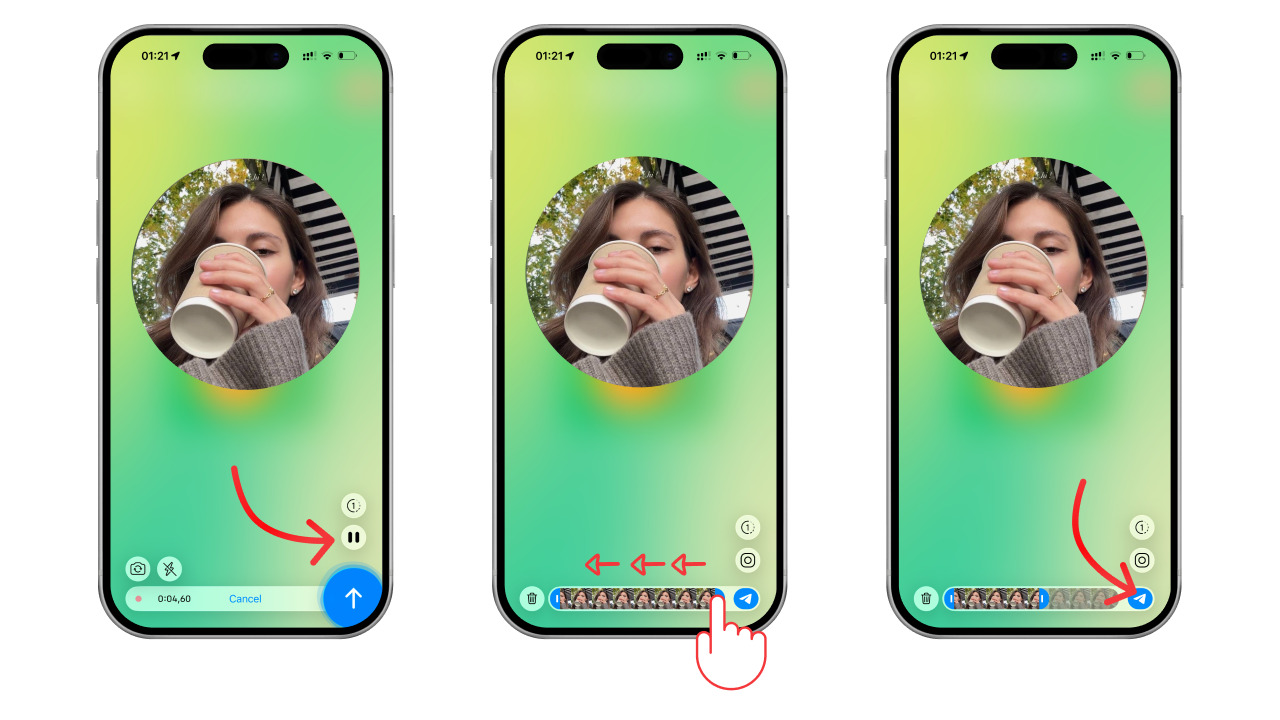
How to trim a video message while recording
- Tap pause
- Select the part of the video message you want to keep
- Tap the send button
The other person will get the trimmed video message.
For more on how to record a video message and pause it, read our article How to record a video message on Telegram on iPhone and Android.
How to trim a video message from an existing video
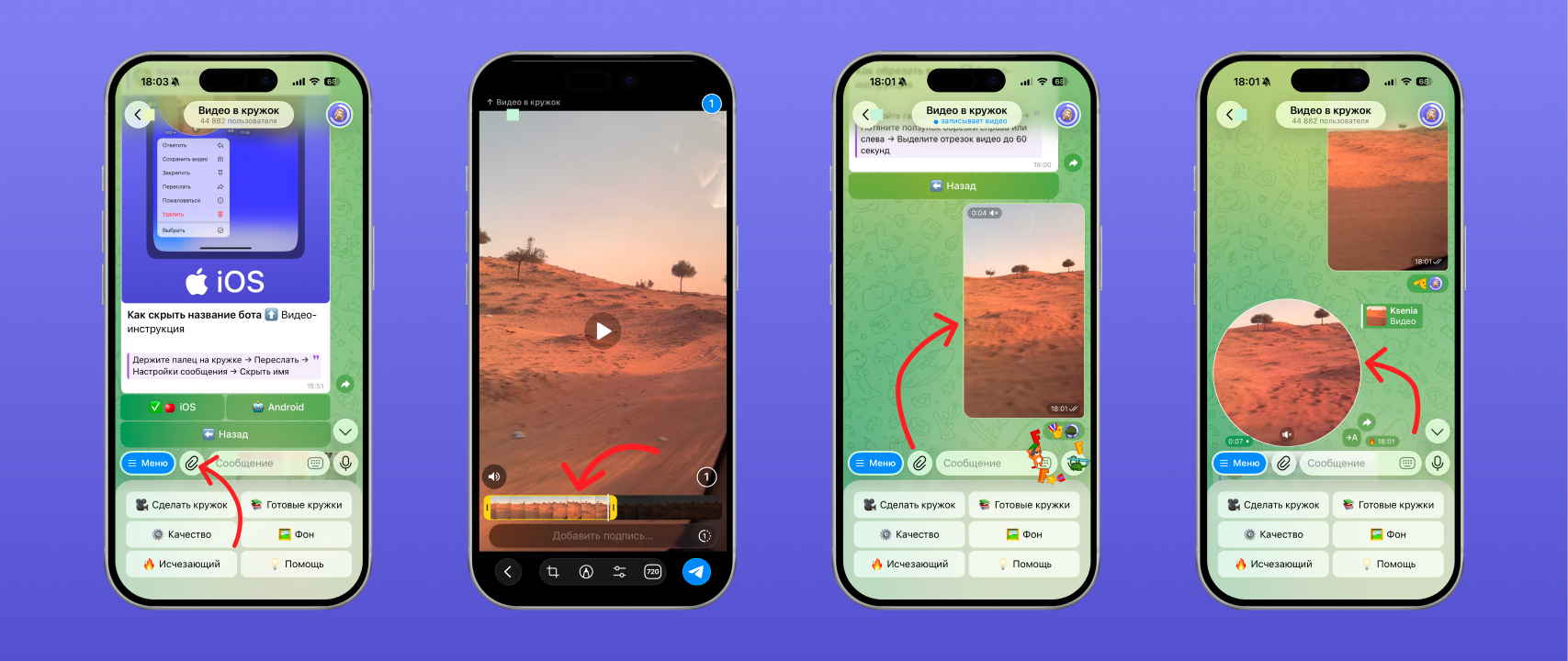
With the “Video to Circle” bot you can turn a regular video into a video message. You can also use it to trim video messages that have already been sent.
- Save the video message you were sent to your phone
- Choose the video to send to the bot
- Select the part of the video message you want to keep
- Tap the send button
The bot will send you back a video message made from that video, trimmed the way you need.
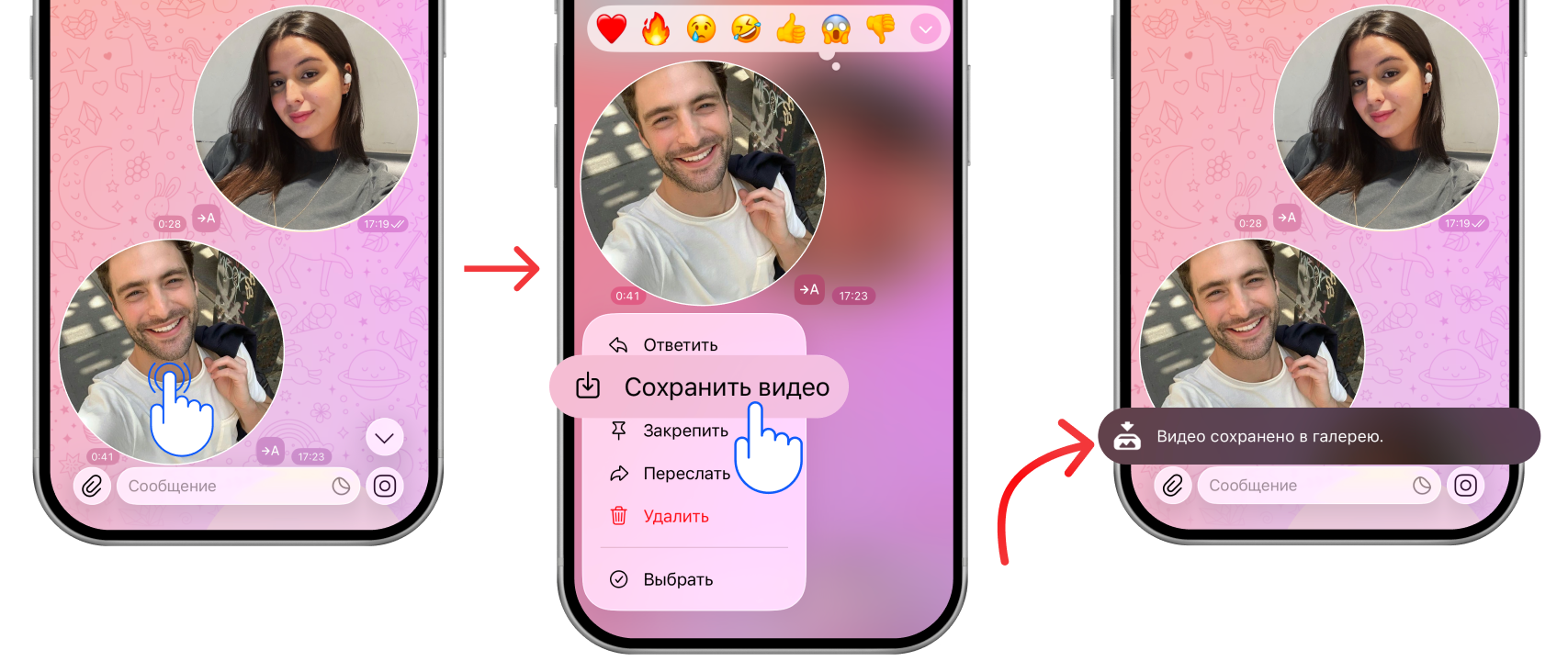
How to save a video message
- Press and hold the video message
- Tap “Save video” in the menu that appears
The video message will be saved to your phone’s gallery.
How to download a video message from Telegram
You cannot download a video message as a file. The only way is to save the video message to your device and then move it where you need from the gallery.
We covered how to save a video message in the relevant section of this article.
How to watch video messages, including deleted ones
To watch a video message with sound, tap it and turn up your device volume.
The video message opens full screen and closes once playback is over.
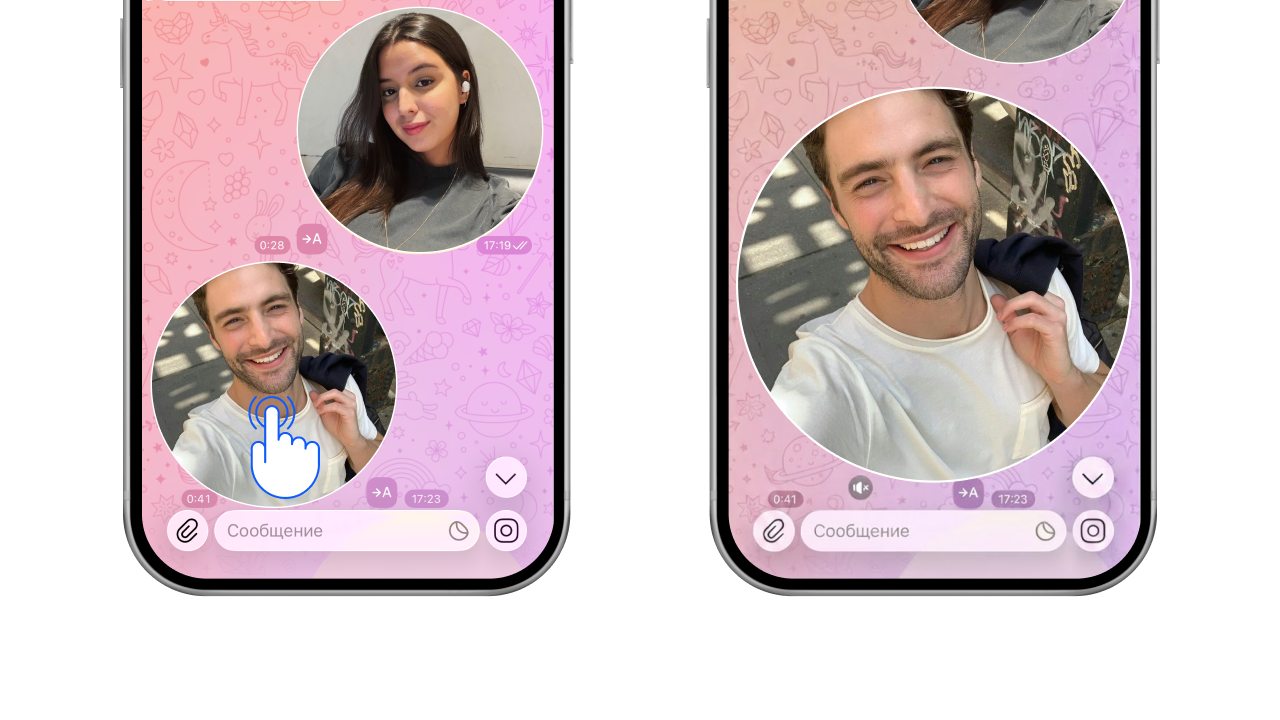
If you accidentally deleted a video message on your side, ask the other person to forward it to you.
There is no way to watch a deleted one-time video message or one that was deleted for both of you. What one-time video messages are is covered in the article “Disappearing video messages on Telegram: how to send a one-time one”.
How to restore a deleted video message
- If you deleted the video message on your side, ask the other person to forward it to you. You cannot restore it yourself.
- If you deleted the video message for both of you, it is gone for good — you will not be able to restore it.
- Deleted one-time video messages cannot be restored either.
If the video message really is gone for both sides, there is no way to restore it.
How to reply to a video message
- Swipe right to left near the video message
- Write your reply to the video message
- Send the reply
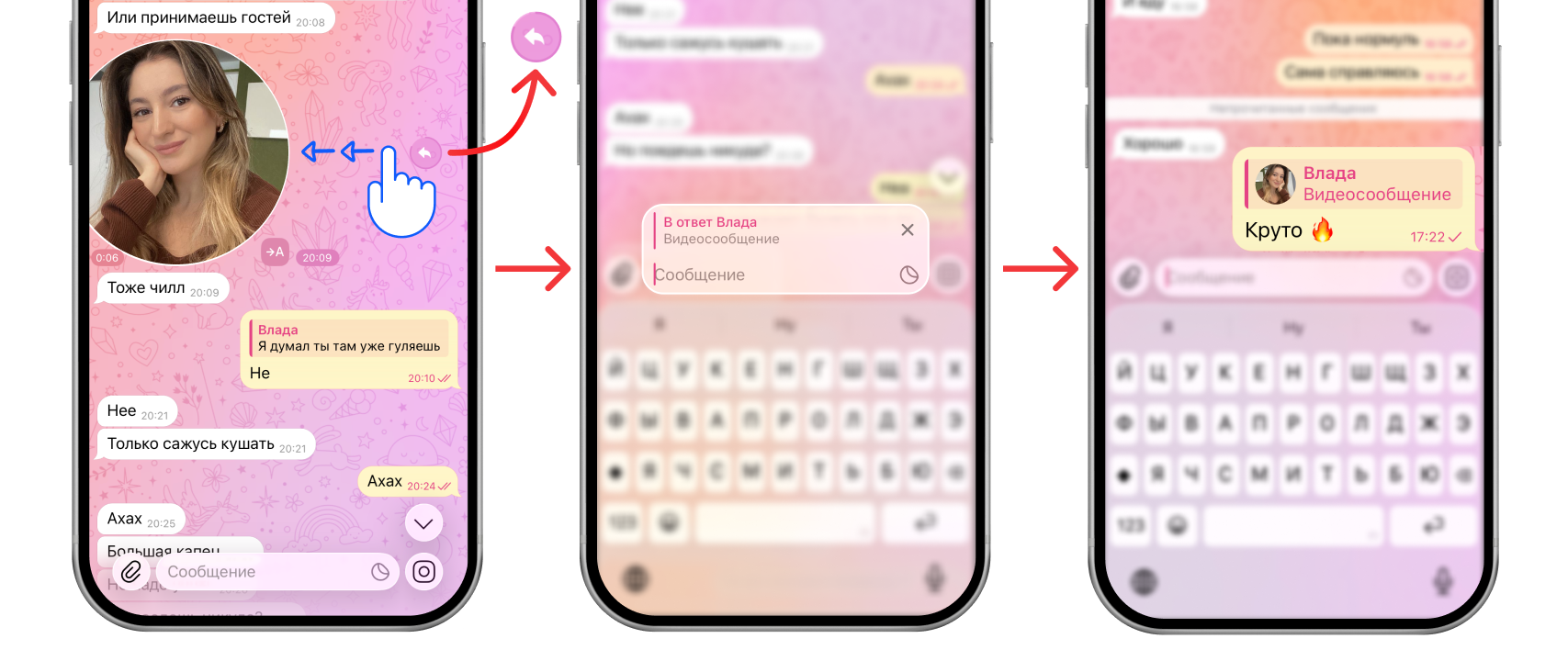
You can also reply to a video message with a reaction. How to do that is covered in a separate article — “Reactions in Telegram video messages: how to turn them on with gestures”.
FAQ
Can you delete a video message on the other person’s side?
Yes, you can delete any message both on your side and on theirs — a video message included.
Where are downloaded video messages saved?
Downloaded video messages are saved to the gallery on your device: the “Photos” app on iOS and “Google Photos” on Android.
See also
- Disappearing video messages on Telegram: how to send a one-time one
- How to make a 60 fps video message on Telegram without lag
- How to forward a video message without the “Forwarded” label on Telegram
- How to record a video message (circle) in Telegram on iPhone and Android
- How to make a video message from a photo on Telegram
- Reactions in Telegram video messages: how to turn them on with gestures
- How to record a video message in MAX and make one from a video
- Why a video message won’t send on Telegram and what to do
- How to record a video message with music on Telegram