
What a video message is in MAX
A video message in MAX is a short round video up to a minute long that you record and send right in the chat with the other person. The same as a voice message, only with video.
Video messages are for quickly showing yourself, your emotions or what is happening around you.
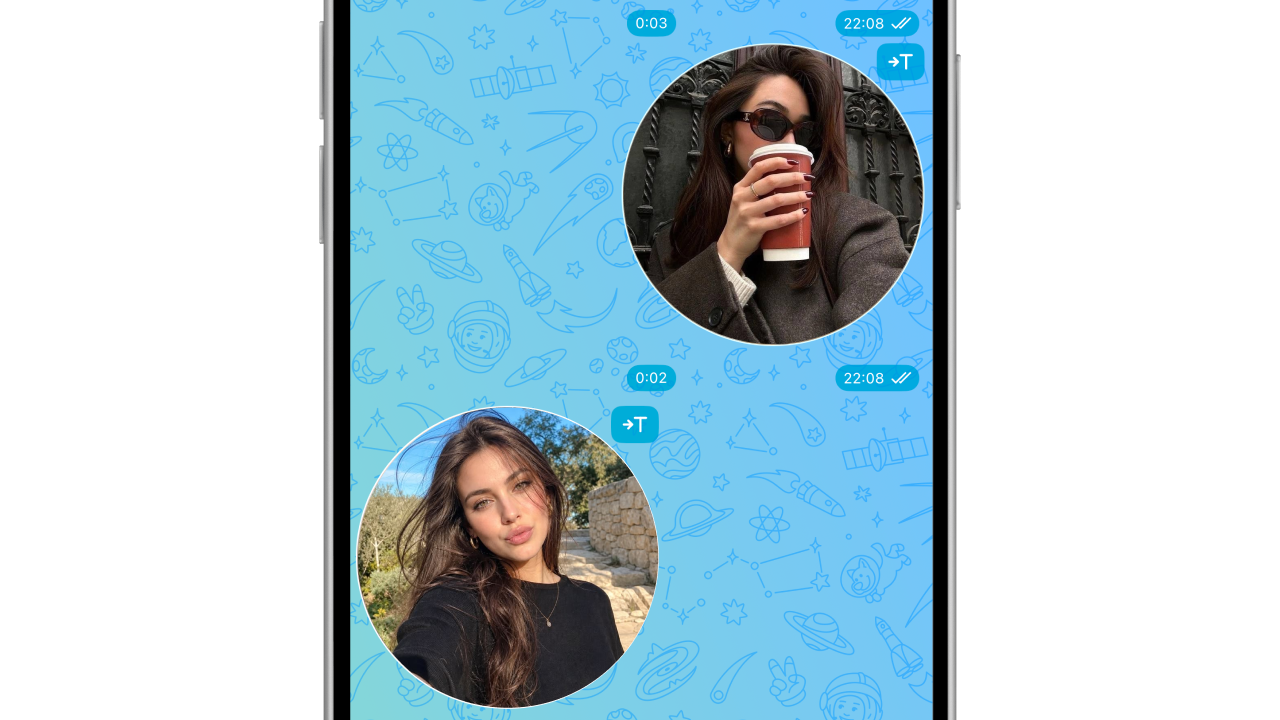
How to record a video message in MAX
- Open a chat
- Tap the camera icon to the right of the message field
- Press and hold the camera icon
The video message keeps recording for as long as you hold the camera icon. As soon as you release it, the video message is sent to the chat.
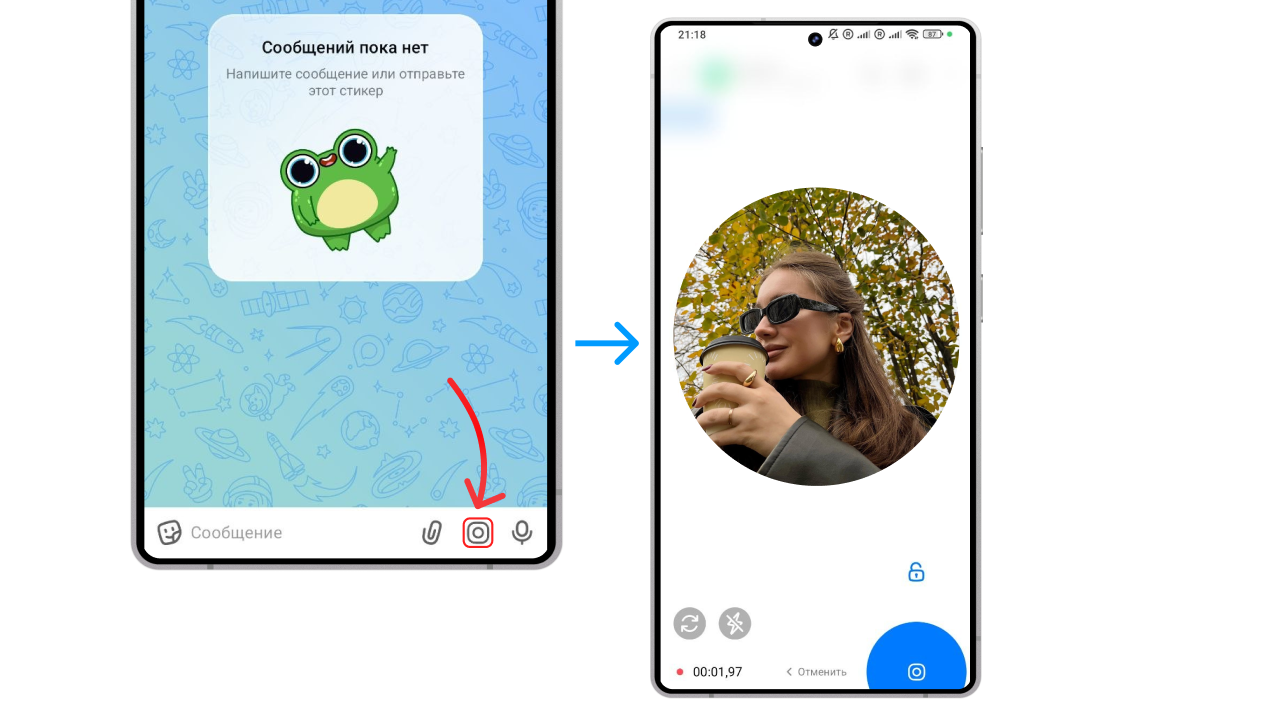
To record hands-free, just like in Telegram, swipe your finger up to the lock icon — the recording carries on by itself, and pause, delete and send buttons appear at the bottom.
How to record a video message in MAX on iPhone
On iPhone a video message is recorded the same way:
- Open a chat
- Press and hold the camera icon to the right of the message field
- Release your finger — the video message is sent to the chat
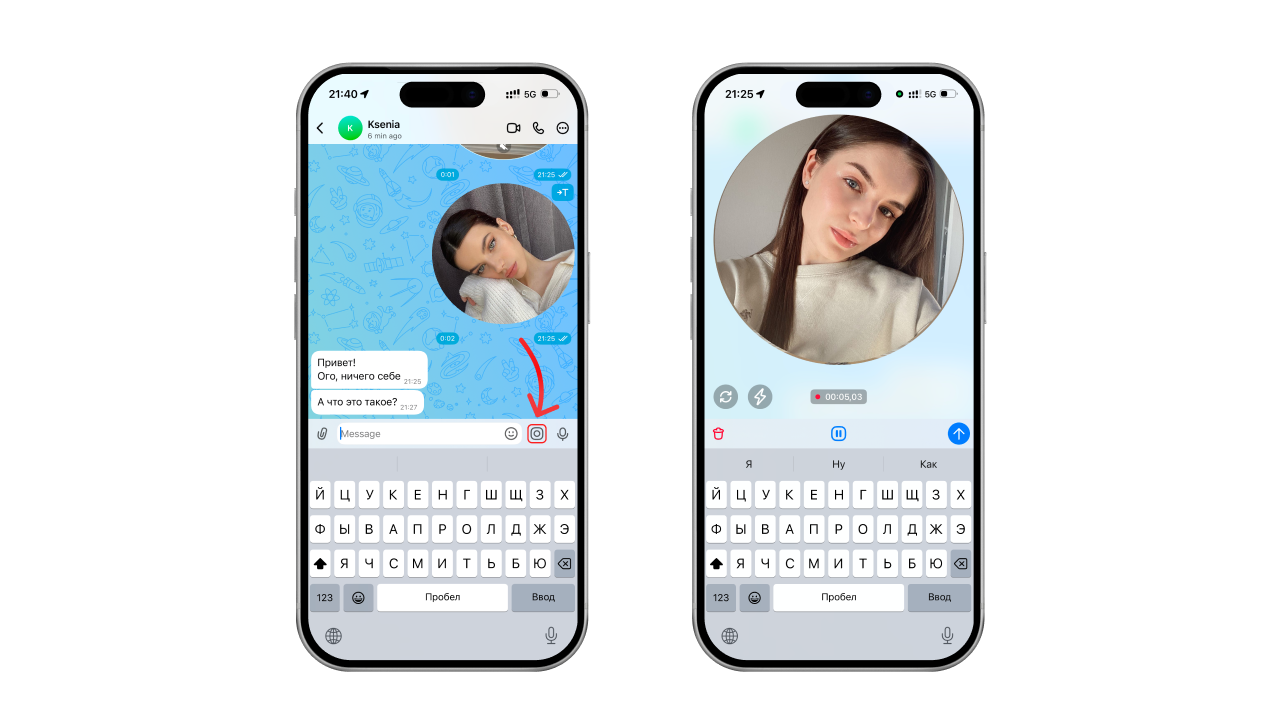
If you lock the recording, the video message is not sent by itself — tap the blue send arrow in the bottom right.
How to record a video message in MAX Web in a browser
You cannot record a video message in a browser yet — the feature is not supported. In the web version you can only record a voice message.
Instead, we recommend recording and sending a regular video.
How to make a video message from a video in MAX
The messenger has no built-in feature for turning videos into video messages.
The “Video to Circle” team is now working on such a tool — in their Telegram bot you can already make video messages from your own videos and pick ready-made ones from the catalogue.
How to send a video message in MAX
The video message is sent by itself as soon as you release the camera icon. If the recording is locked, tap the blue send arrow in the bottom right.
You can also record the video message to “Saved Messages” first and then forward it to your friends. That way you can be sure you haven’t sent anything you didn’t mean to.
Why a video message won’t send in MAX
A video message in MAX may fail to send for several reasons:
- Problems with the internet connection
- The MAX app has frozen
- MAX has not been given permission to use the camera
Solutions to these and other problems with video messages are covered in a separate article — “Why a video message won’t send on Telegram and what to do”.
FAQ
What do the red and green circles in MAX mean?
A green circle means the user is online in the app right now.
A red circle means the user is offline, busy, away or has turned on “Do Not Disturb” mode.
How to delete a video message in MAX?
- Press and hold the video message in the chat until the menu appears
- Tap “Delete”
When did video messages appear in MAX?
Video messages appeared in MAX on 29 August 2025.
Can you record a video message in MAX on a computer?
You cannot record a video message directly in the desktop version of MAX. Recording video messages is not supported in the PC version at the moment.
See also
- How to delete, trim and save a video message on Telegram
- Disappearing video messages on Telegram: how to send a one-time one
- How to make a 60 fps video message on Telegram without lag
- How to forward a video message without the “Forwarded” label on Telegram
- How to record a video message (circle) in Telegram on iPhone and Android
- How to make a video message from a photo on Telegram
- Reactions in Telegram video messages: how to turn them on with gestures
- Why a video message won’t send on Telegram and what to do
- How to record a video message with music on Telegram