
How to make a video message from a photo on Telegram
Telegram has no way to turn a regular photo into a video message, because a video message is always a video.
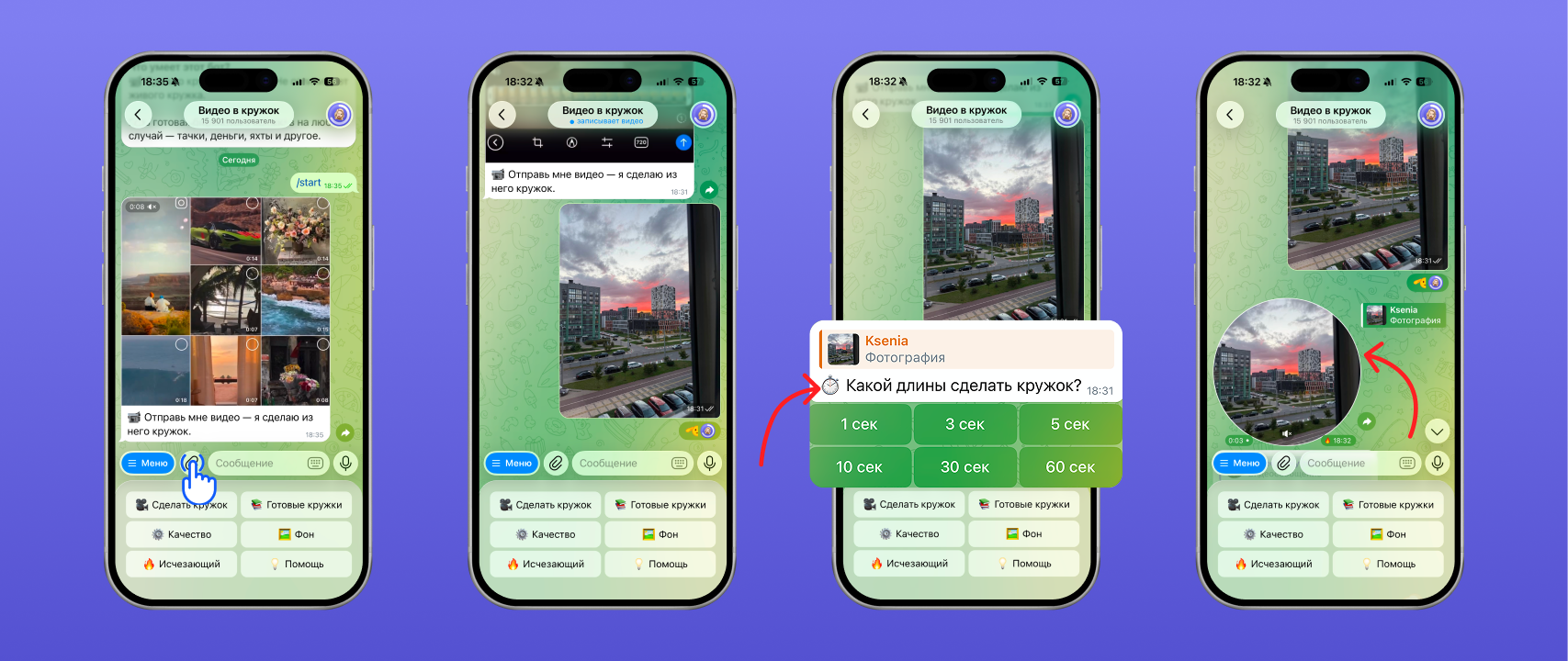
To turn a still photo into a video message you will need the free “Video to Circle” Telegram bot.
Despite the name, the bot works with photos too.
How to make a video message from a photo:
- Start the bot
- Send it a photo from the gallery
- Choose how many seconds the video message should last
- The bot will reply with a ready-made video message with your photo that you can forward to any chat
How to forward a video message without the “Forwarded” label or send it as a disappearing one is covered in separate articles — “How to forward a video message without the ‘Forwarded’ label on Telegram” and “Disappearing video messages on Telegram: how to send a one-time one”.
Which photos work best and how to crop them to a circle
There are no special format requirements: PNG, JPG or any other will do.
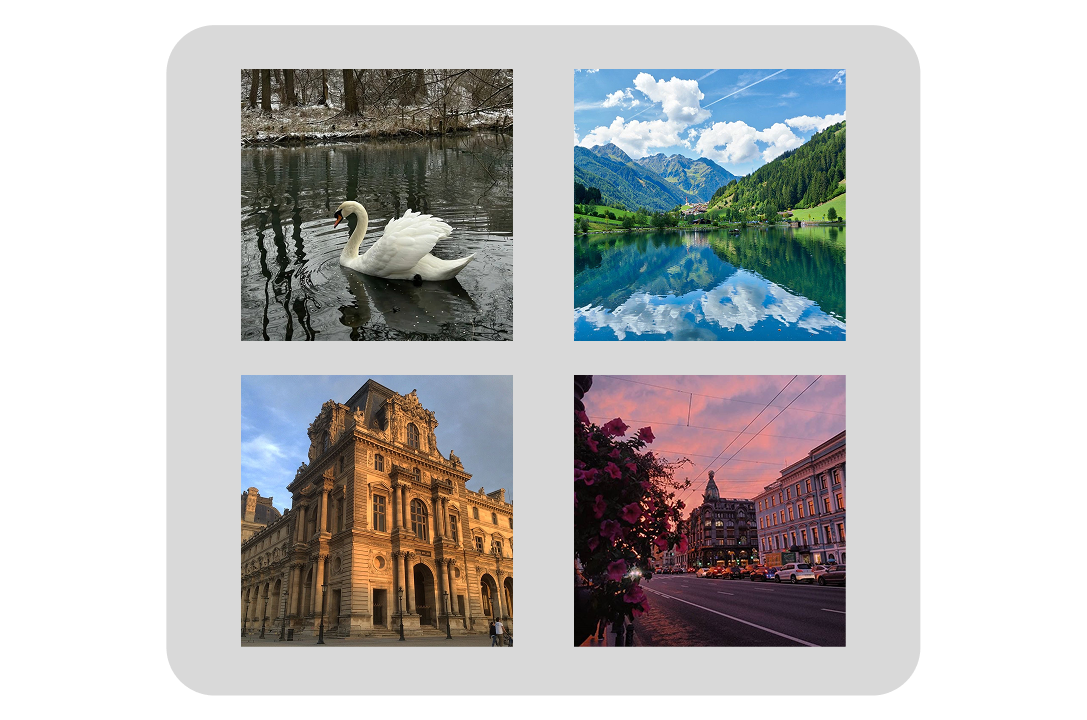
For a photo video message to look good, we recommend using square pictures with everything important in the centre of the frame.
The bot makes the picture round and crops the corners, so the face or the main subject of the photo should be right in the middle of the frame.
FAQ
Can you make a video message from several photos?
No — a video message can be made from one photo only.
What photo size and format do you need?
The optimal size is 1080 × 1080 pixels. Any format will do, for example JPG or PNG.
Does the photo get cropped when making a video message?
Yes, the photo is cropped to a 1:1 (square) ratio.
See also
- How to delete, trim and save a video message on Telegram
- Disappearing video messages on Telegram: how to send a one-time one
- How to make a 60 fps video message on Telegram without lag
- How to forward a video message without the “Forwarded” label on Telegram
- How to record a video message (circle) in Telegram on iPhone and Android
- Reactions in Telegram video messages: how to turn them on with gestures
- How to record a video message in MAX and make one from a video
- Why a video message won’t send on Telegram and what to do
- How to record a video message with music on Telegram