
What reactions in video messages are
Reactions in video messages show live effects: hearts, fireworks, thumbs up and others. They appear right while you are recording a video message for the person you are chatting with.

How to turn on reactions in Telegram video messages
You can only turn on reactions in video messages on an iPhone running iOS 17 or later. We explain exactly how further in the article.
At the same time, if you send a video message to a friend on Android, they will still see the reactions.
How to turn on reactions in video messages on an iPhone
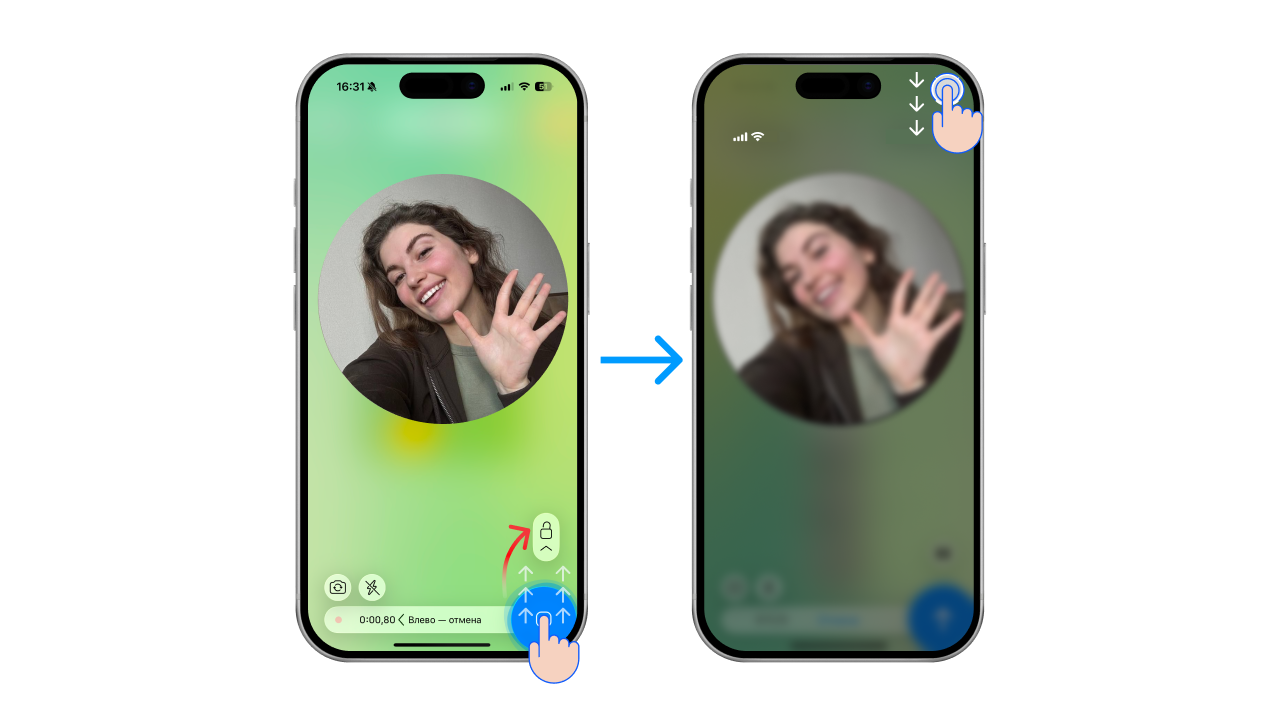
- Start recording a video message and swipe up (towards the lock icon) so that the recording continues hands-free
How to record a video message hands-free, along with other useful tricks, is covered in a separate article — “How to record a video message (circle) in Telegram on iPhone and Android”.
- Swipe down from the top of the screen to open Control Centre
- At the very top, tap the “Controls” button
- Tap “Reactions”. The button turns blue once it is on
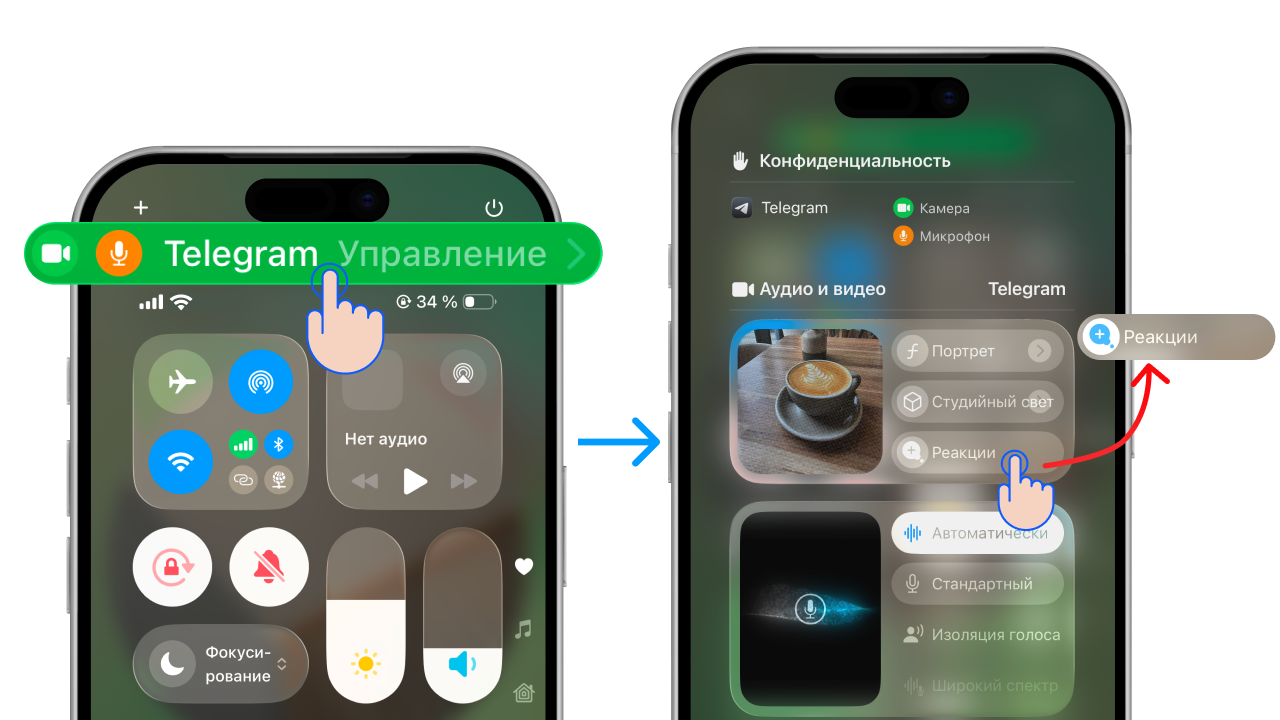
Close Control Centre and carry on recording your video message using the special gestures. The phone will pick them up and show them during the recording by itself.
Which reactions and gestures are available in video messages

- 👍 Thumbs up in a cloud
- 👍👍 Fireworks
- 👎 Thumbs down in a cloud
- 👎👎 Rain
- ✌️ Balloons
- ✌️✌️ Confetti
- 🫶 Lots of hearts
- 🤘🤘 Laser show
For a reaction to appear, hold your fingers in the frame for a few seconds.
How to react to a video message manually
You cannot add a reaction to a video after recording it. But you can react to a friend’s video message the same way you react to a message:
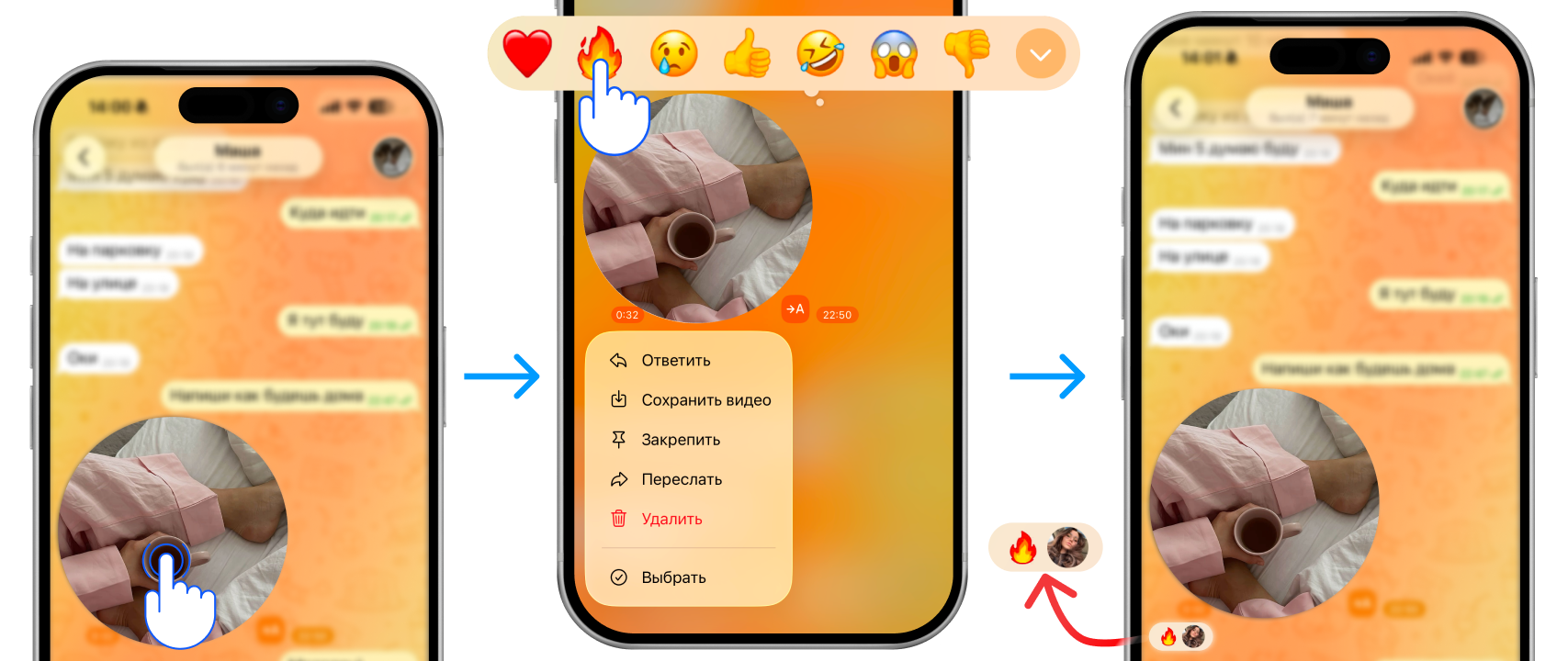
- Press and hold the video message
- An emoji panel opens next to the video message
- Choose and tap a reaction
FAQ
Why don’t reactions in video messages work?
- You have an Android phone
- You have an iPhone older than the 12th model (11, 10 etc.) or a version older than iOS 17 (16, 15 etc.)
- The “Reactions” setting is turned off in Control Centre
- You are showing the gesture too quickly and the camera does not have time to read it
Do reactions in video messages work on Android?
No, they don’t. Reactions in Telegram are not supported on this operating system yet.
Do I need the latest version of Telegram for reactions?
No. The reactions feature is built into the iPhone’s system itself — iOS — not into Telegram.
See also
- How to delete, trim and save a video message on Telegram
- Disappearing video messages on Telegram: how to send a one-time one
- How to make a 60 fps video message on Telegram without lag
- How to forward a video message without the “Forwarded” label on Telegram
- How to record a video message (circle) in Telegram on iPhone and Android
- How to make a video message from a photo on Telegram
- How to record a video message in MAX and make one from a video
- Why a video message won’t send on Telegram and what to do
- How to record a video message with music on Telegram