
Why a video message won’t send on Telegram
In some countries Telegram is blocked. To use the messenger, people have to use a VPN, but even with it there are difficulties.
Another common reason is slow Wi-Fi or mobile internet.
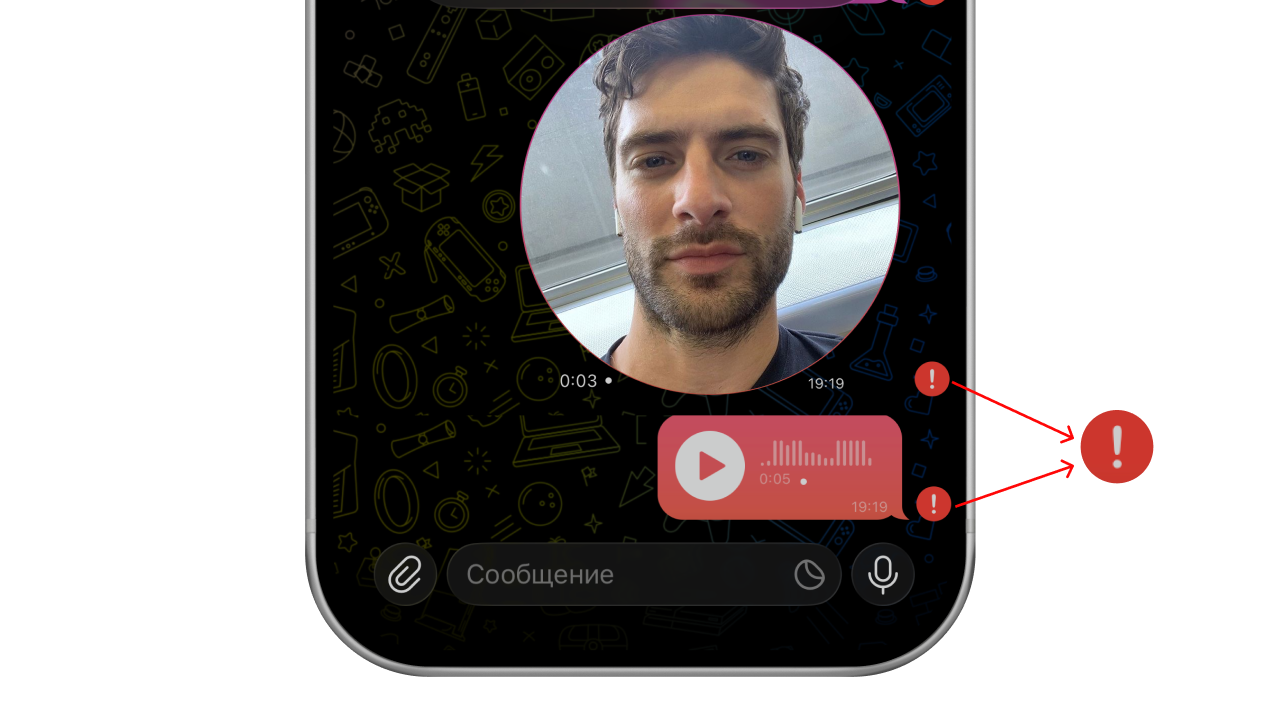
What to do if a video message won’t send
Let’s go through the common problems and how to solve them.
1. The internet is not working
Try opening other sites on your phone — for example, Google, YouTube or Wikipedia.
If they don’t load, the problem is your internet. Switch from mobile internet to Wi-Fi or another network.
2. An outage in the messenger
Sometimes Telegram doesn’t work at all. You can check whether there is an outage right now on Downdetector.
If an outage is confirmed, wait until it is over and try sending the video message again.
3. Telegram is blocked
If images and videos don’t load, other messages don’t send either and the menu shows “Connecting” — Telegram is blocked in your region.
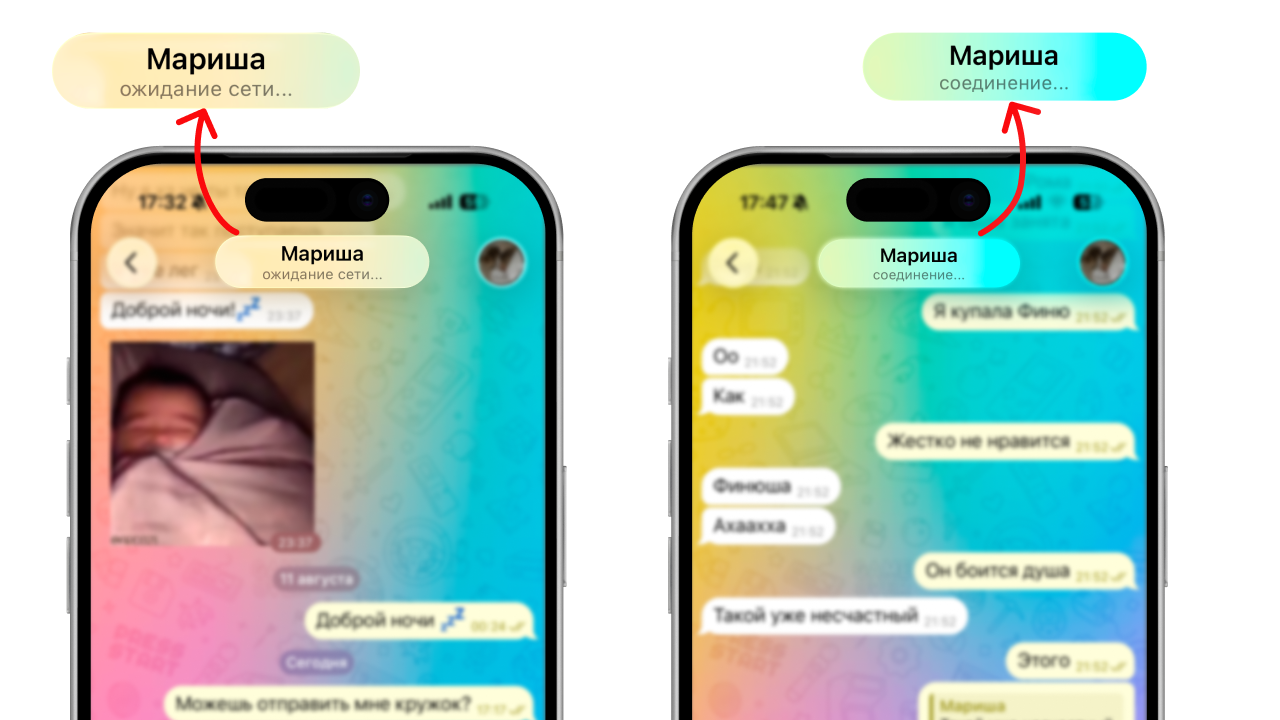
In accordance with the law, we cannot give recommendations on how to install a VPN on your phone or set up a proxy to bypass the Telegram block.
4. A VPN or proxy that does not work
Sometimes a VPN installed on your phone stops working. In that case you need to turn it off in your device settings.
If you added a proxy to Telegram earlier, it may also stop working. If there is a shield on the chats screen, it means you have a proxy connected.
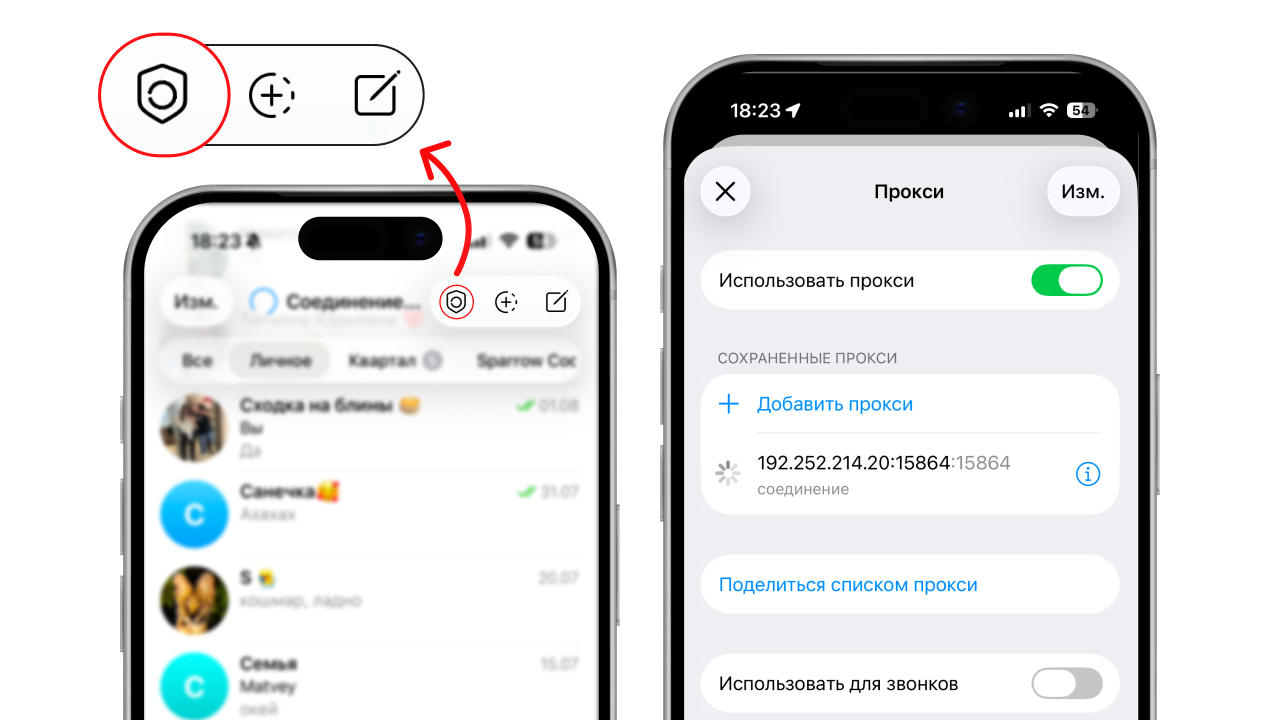
Turn off the proxy and try sending the video message again.
5. Unofficial clients
If you are using not the official version of Telegram but an alternative client — the problem may be with it.
Reinstall Telegram from the official website and try sending the video message again.
Why a video message won’t record
No access to the camera or microphone
Usually the recording won’t start if you haven’t given Telegram access to the camera and microphone on your device.
To check this, look up the instructions for your phone online, for example by searching for “how to give telegram access to the camera on iphone”.
Once all the permissions are granted, the recording will start.
How to record a video message without permissions
To make a video message, you don’t have to record it through Telegram. You can make a video message from any existing video with the “Video to Circle” bot.
Just send your video to the bot and get a video message back that you can forward to your friends.
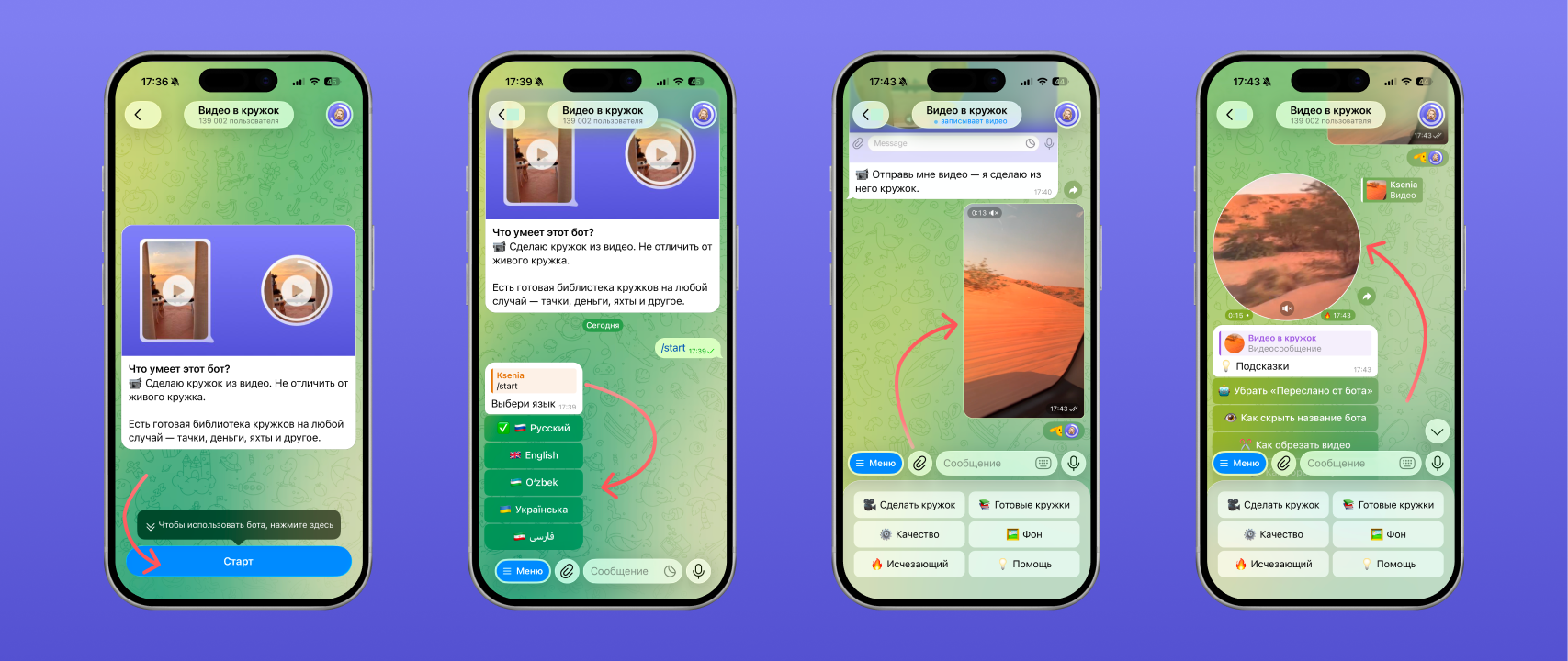
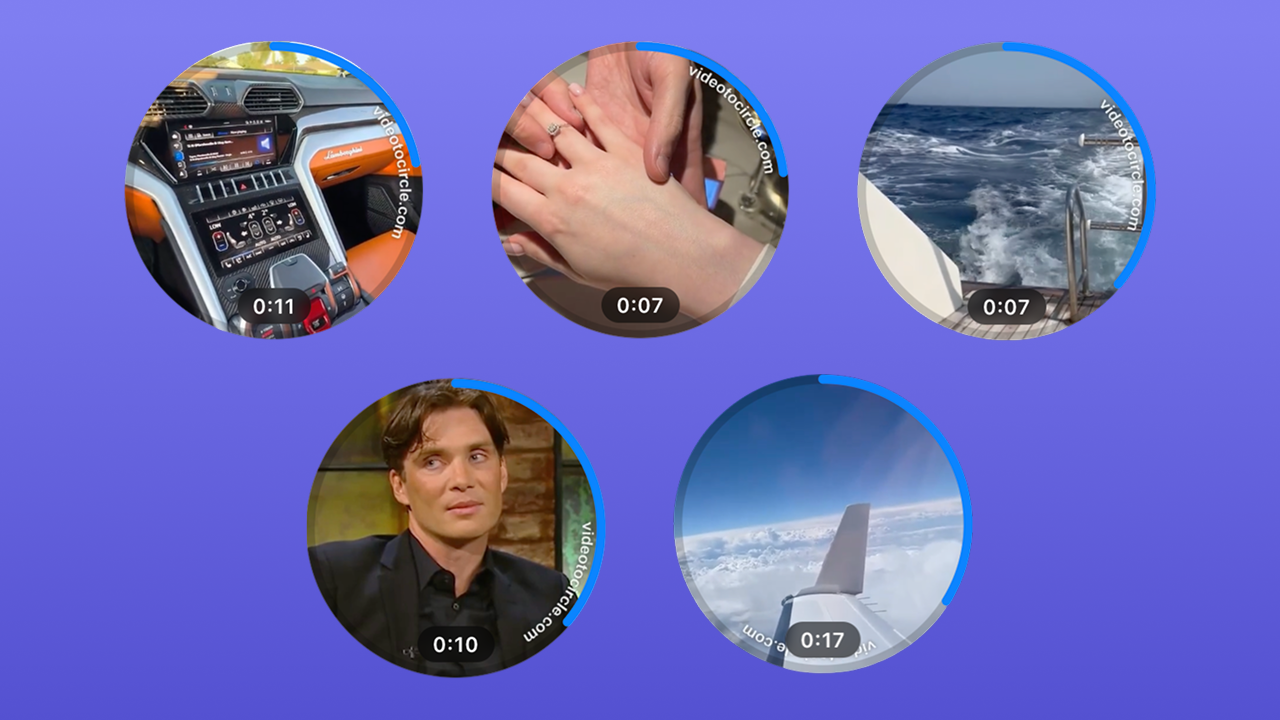
There is also a catalogue of ready-made videos in the bot that you can prank your friends with: video messages with a car, a trip or just a meme.
If you forward a video message without the label, it will be indistinguishable from one you recorded yourself. Read how to do it in our article How to forward a video message without the “Forwarded” label on Telegram.
Why a video message lags and stutters
Usually it is the phone itself: if it is Android or simply an old device, freezes are possible while recording any video.
Less often, freezes are caused by:
- not enough storage on the device,
- an overloaded cache in the app,
- an old version of Telegram,
- power saving mode turned on on the phone.
Try cleaning up your phone and reinstalling Telegram. That will speed it up.
Why a video message has no sound or poor quality
Getting the sound back
Make sure no wireless headphones or other Bluetooth devices are connected to your phone. Telegram may try to get the sound from them even when they are not in use.
If that didn’t help, record a normal video on your phone and check whether it has sound:
- If normal videos have sound, the problem is with Telegram — reinstall the app and try again.
- If there is no sound anywhere, the problem is with the device — the microphone has most likely broken. Contact a service centre.
Sending a video message in HD
By default video messages are compressed while recording, but you can send a video in better quality through the “Video to Circle” bot.
How to do that and get a smooth video message in HD is covered in a separate article — “How to make a 60 fps video message on Telegram without lag”.
FAQ
Why don’t video messages work?
If the recording won’t start, check in your phone settings that you have given Telegram access to the camera and microphone.
Why don’t video messages load?
Most likely your internet is working badly, or you have a VPN or proxy connected that doesn’t work.
Why are video messages in poor quality?
By default Telegram compresses video quality when sending. Even so, you can send a video message in HD through the “Video to Circle” bot.
How do I remove or turn off video messages on Telegram?
You can block audio and video messages from being sent to you in Telegram’s privacy settings. This requires a premium subscription.
Do I need microphone access to record a video message?
If you record a video message through Telegram, yes — the recording won’t start without microphone access. However, you can always make a video message without camera and microphone access through the “Video to Circle” bot.
See also
- How to delete, trim and save a video message on Telegram
- Disappearing video messages on Telegram: how to send a one-time one
- How to make a 60 fps video message on Telegram without lag
- How to forward a video message without the “Forwarded” label on Telegram
- How to record a video message (circle) in Telegram on iPhone and Android
- How to make a video message from a photo on Telegram
- Reactions in Telegram video messages: how to turn them on with gestures
- How to record a video message in MAX and make one from a video
- How to record a video message with music on Telegram