
What a 60 fps video message is and why you need it
By default all video messages are recorded in good quality, but they get compressed when sent.
In this article we explain how to fix that and get a video message in the best quality — at 60 fps.
How to make a 60 fps video message on iPhone
You can read about how to record a video message in our article How to record a video message on Telegram on iPhone and Android.
Another way is to make a video message from an existing video with the “Video to Circle” bot.
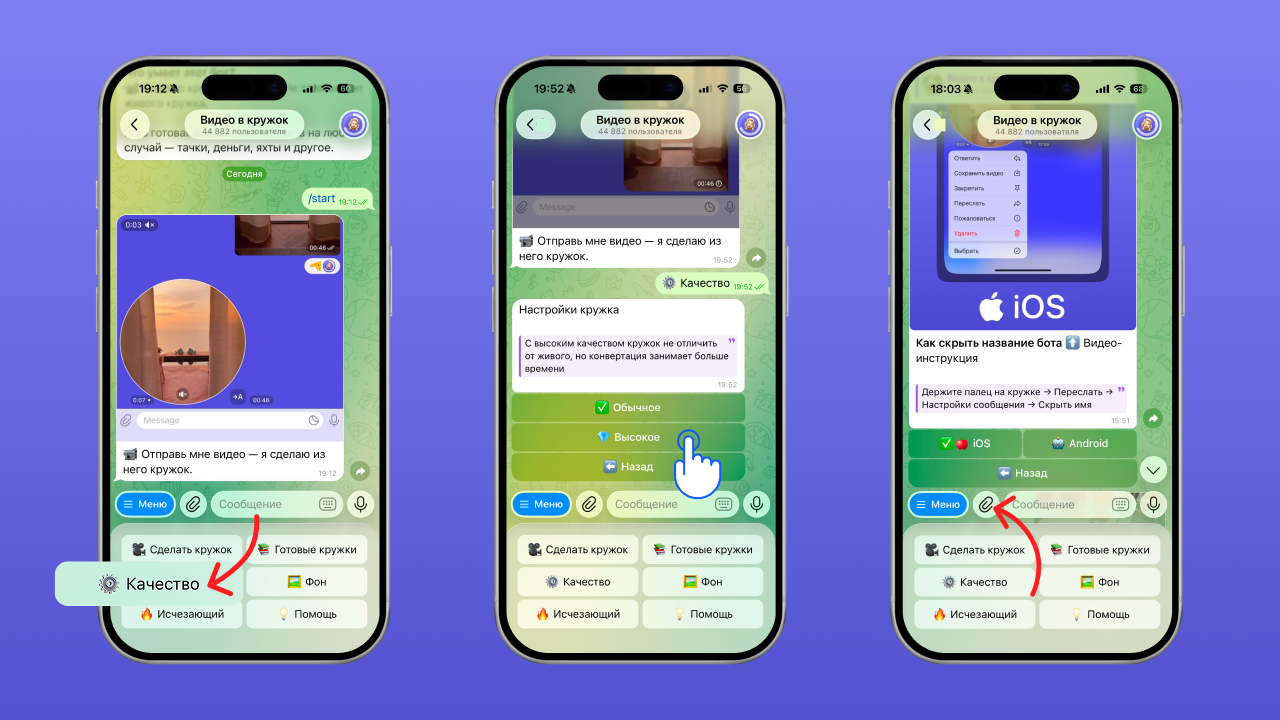
- Open the bot
- Choose “High” quality in the settings
- Send the bot the video you want to turn into a video message
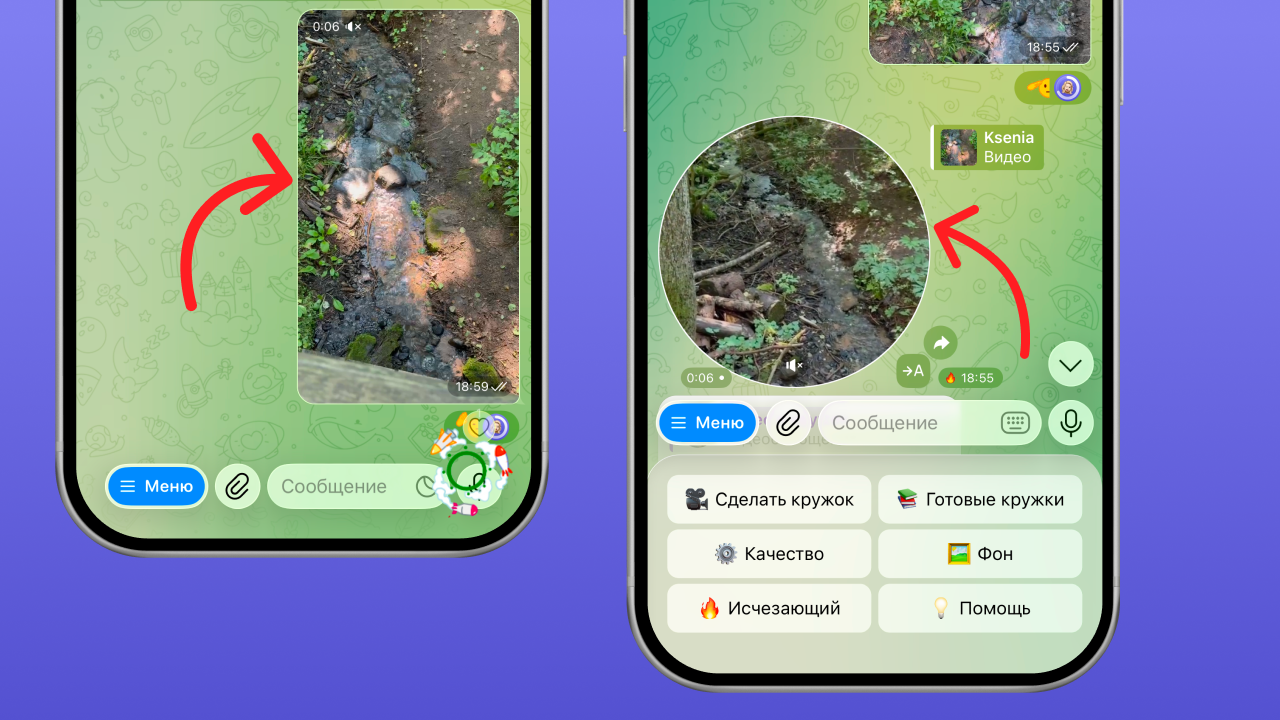
In reply to the video you sent, the bot returns a video message in high quality — 60 fps.
How to make a 60 fps video message on Android
You can read about how to record a video message in our article How to record a video message on Telegram on iPhone and Android.
Another way is to make a video message from an existing video with the “Video to Circle” bot.
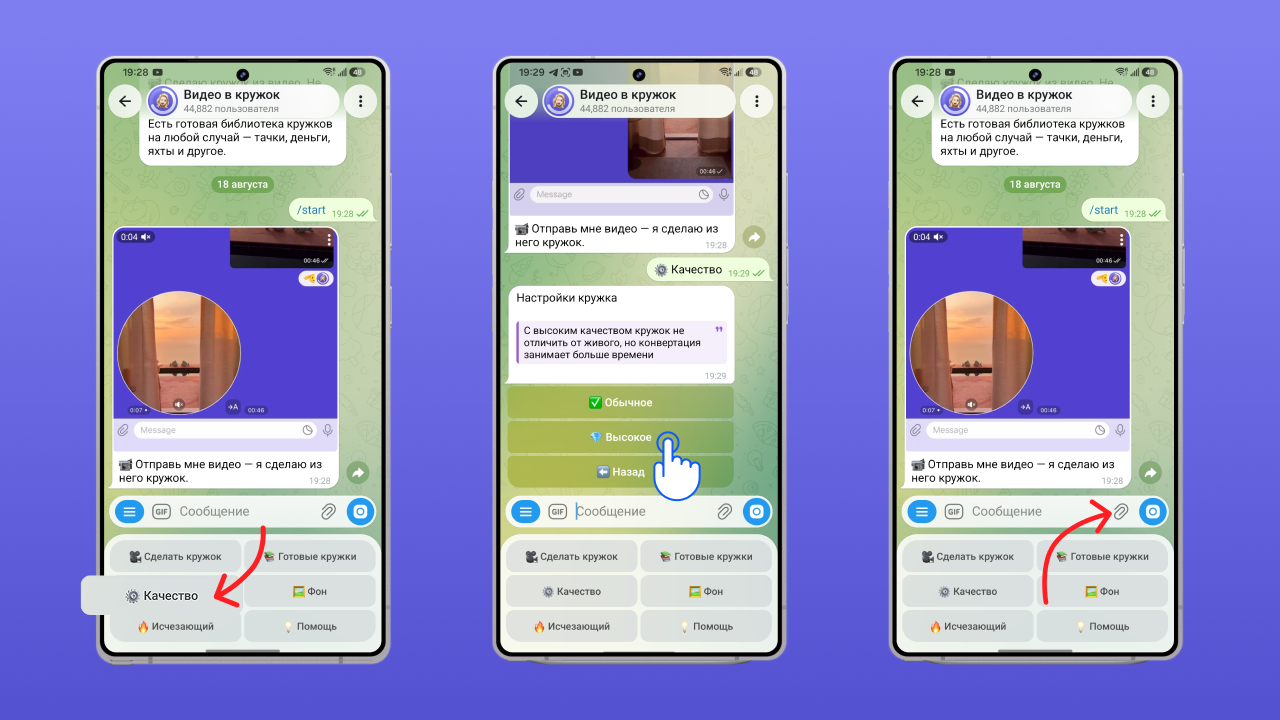
- Open the bot
- Choose “High” quality in the settings
- Send the bot the video you want to turn into a video message
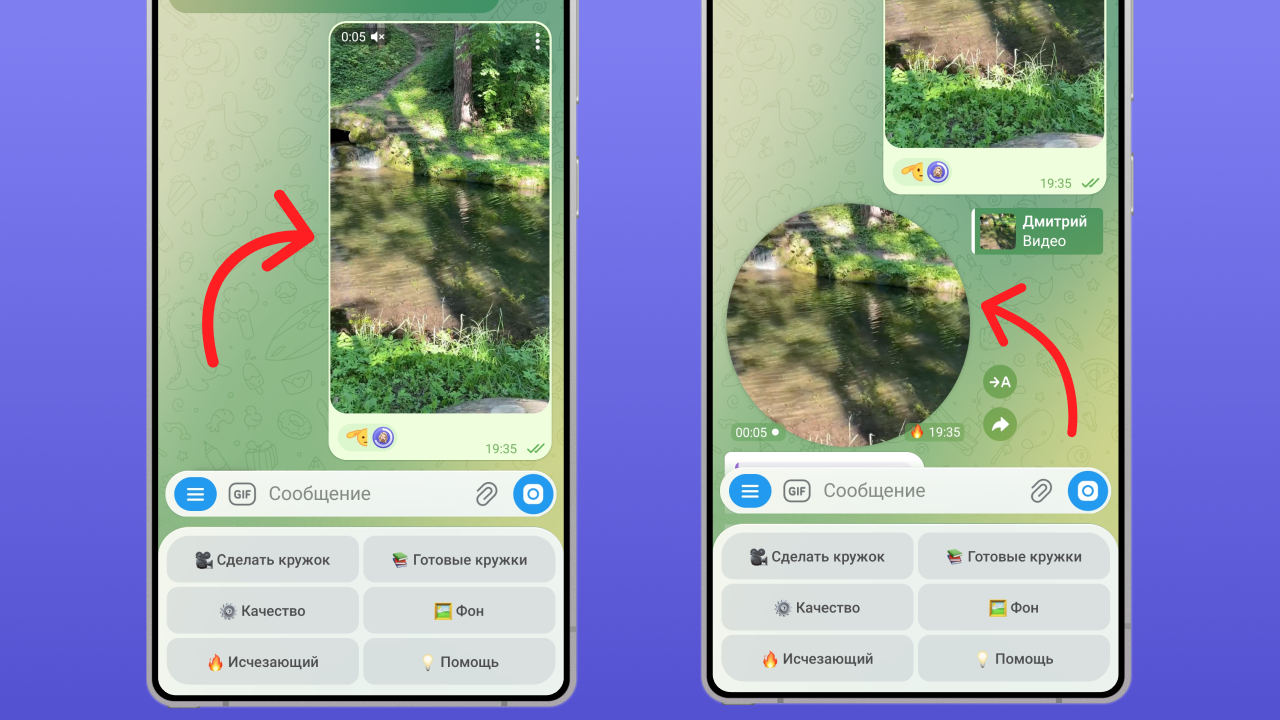
In reply to the video you sent, the bot returns a video message in high quality — 60 fps.
Why video messages lag and how to fix it
Most of the time the problem is the phone you are recording the video message on:
- Power saving mode is on
- The battery is low
- The device has overheated
Also make sure you have the latest version of Telegram installed.
If the lag doesn’t go away, try a different phone or make your video messages through the “Video to Circle” bot.
How to make a smooth video message from a video
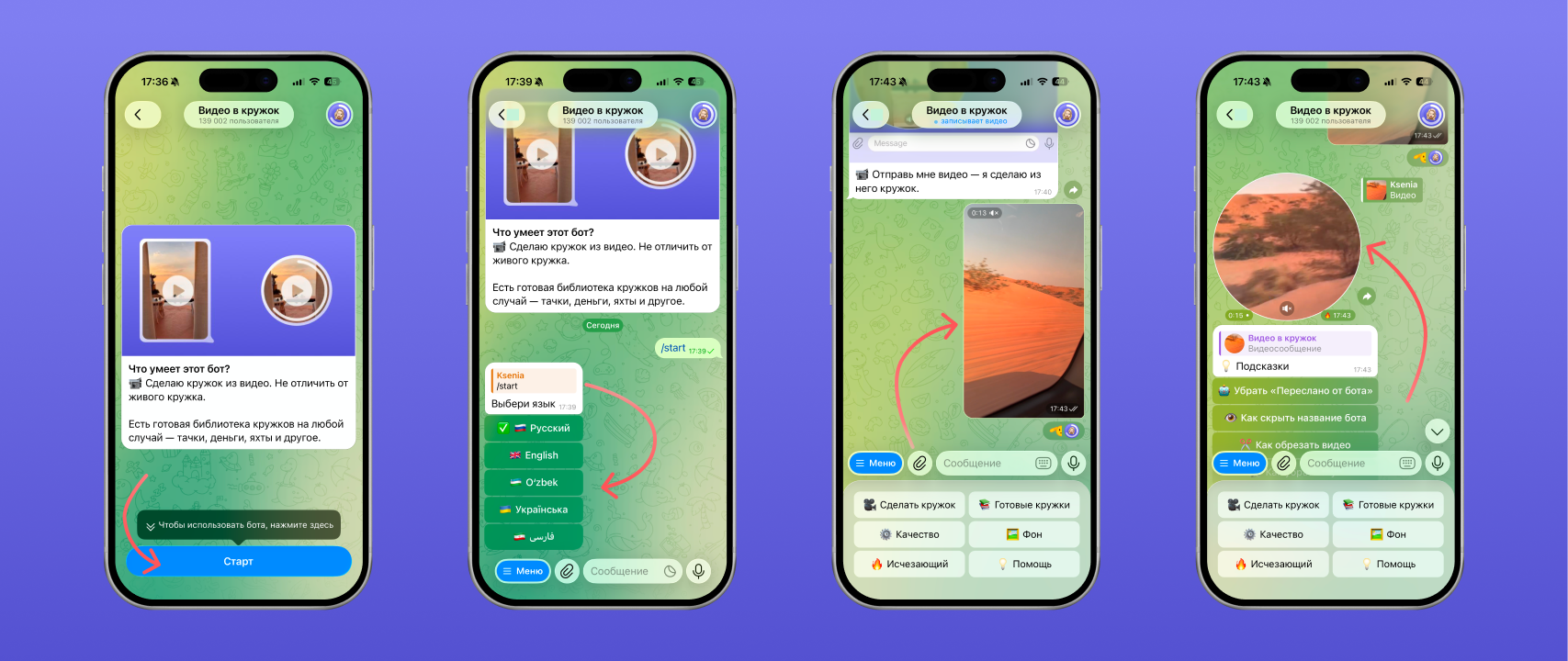
To turn a regular video into a smooth video message you will need the free Telegram bot “Video to Circle”. The bot is available here — t.me/VideoToVideoMessageBot
Once you open the link, start the bot → choose your language → send it any video.
In reply the bot sends a video message that you can forward to your friends:
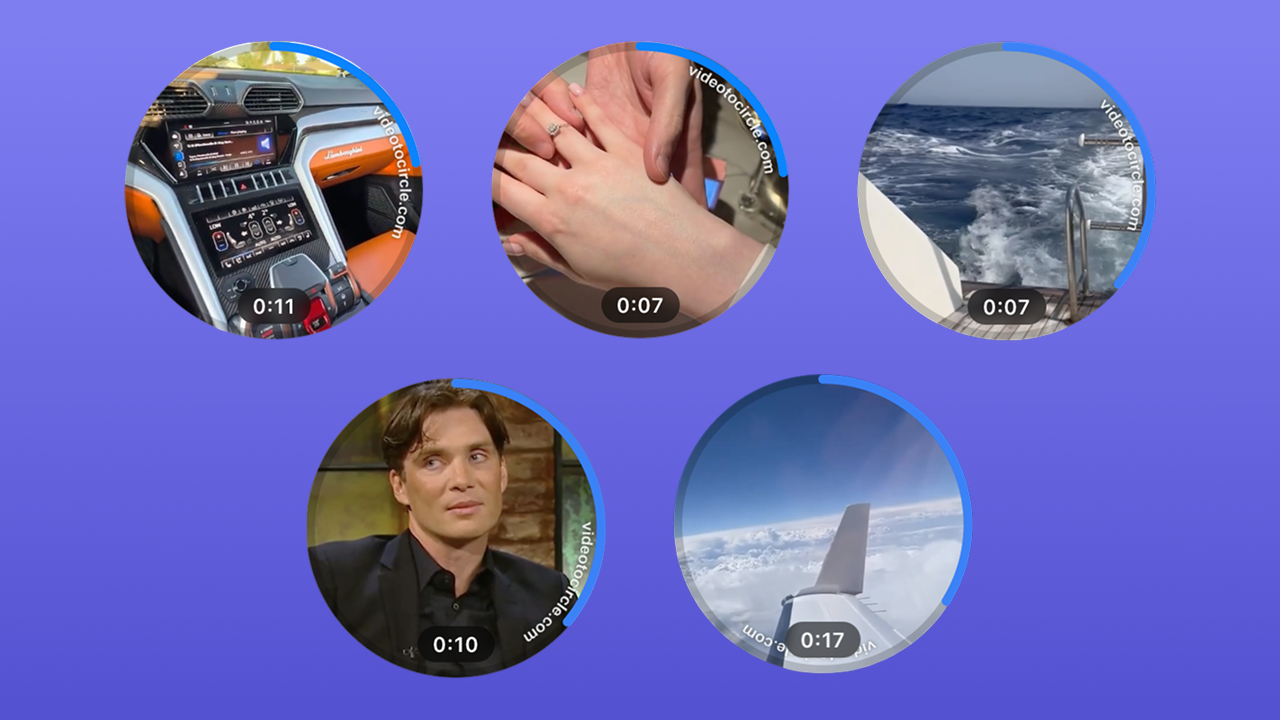
Besides making video messages from your own videos, you can pick a ready-made one from the catalogue to prank your friends: with a car, a trip or just a meme.
The bot also has instructions on how to forward a video message, make one without sound or trim a video. We covered this in more detail in the articles “How to forward a video message without the ‘Forwarded’ label on Telegram” and “How to delete, trim and save a video message on Telegram”.
FAQ
Does 60 fps depend on the phone camera?
Partly. It also depends on the format the video is recorded in. If your phone cannot record a video message at 60 fps, use the “Video to Circle” bot.
Why does a video message freeze after Camera2 API is turned on?
It used to be an experimental feature in the developer menu that could work unreliably. Install the latest Telegram update and record your video messages with it.
Can you record a 60 fps video message on an old iPhone?
Yes, but not at 60 fps — simply in high quality. If you need better quality, use the “Video to Circle” bot.
See also
- How to delete, trim and save a video message on Telegram
- Disappearing video messages on Telegram: how to send a one-time one
- How to forward a video message without the “Forwarded” label on Telegram
- How to record a video message (circle) in Telegram on iPhone and Android
- How to make a video message from a photo on Telegram
- Reactions in Telegram video messages: how to turn them on with gestures
- How to record a video message in MAX and make one from a video
- Why a video message won’t send on Telegram and what to do
- How to record a video message with music on Telegram