
In this article we look at how to stop music from pausing while you record a video message, and whether you can add music to a video message that is already recorded.
How to make a video message record music
You need to turn off the music pause at the start of recording in the Telegram settings. The steps differ depending on your device.
If you don’t know how to record video messages yet, first read our article “How to record a video message (circle) in Telegram on iPhone and Android”.
How to turn off the music pause on iPhone
- Open Telegram
- Go to “Settings”
- Choose “Data and Storage”
- Scroll down to the “Other” section
- Find “Pause Music While Recording” and turn the toggle off — it should turn grey
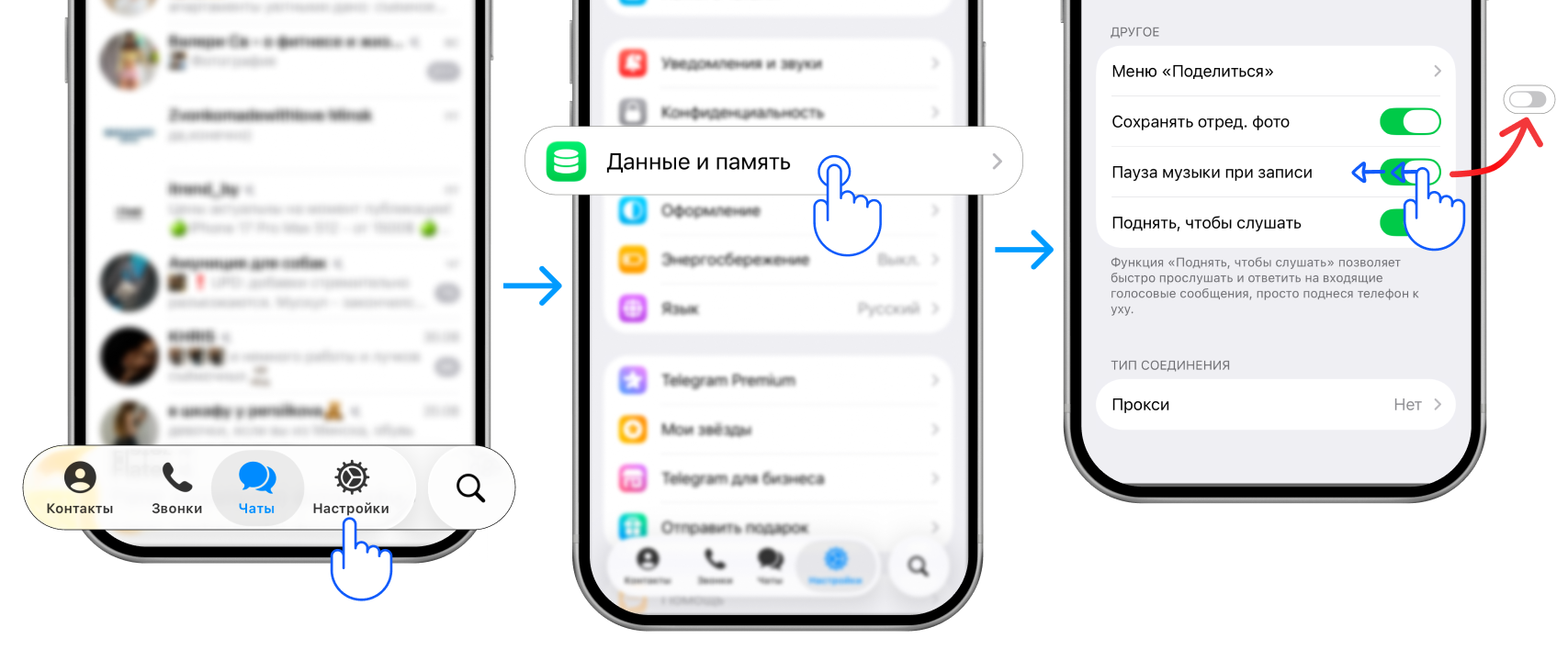
Now you can record a video message with music.
How to turn off the music pause on Android
- Open Telegram
- Go to “Settings”
- Choose “Chat Settings”
- Scroll down to the “Media and Sound” section
- Find “Pause music while recording” and turn the toggle off — it should turn grey
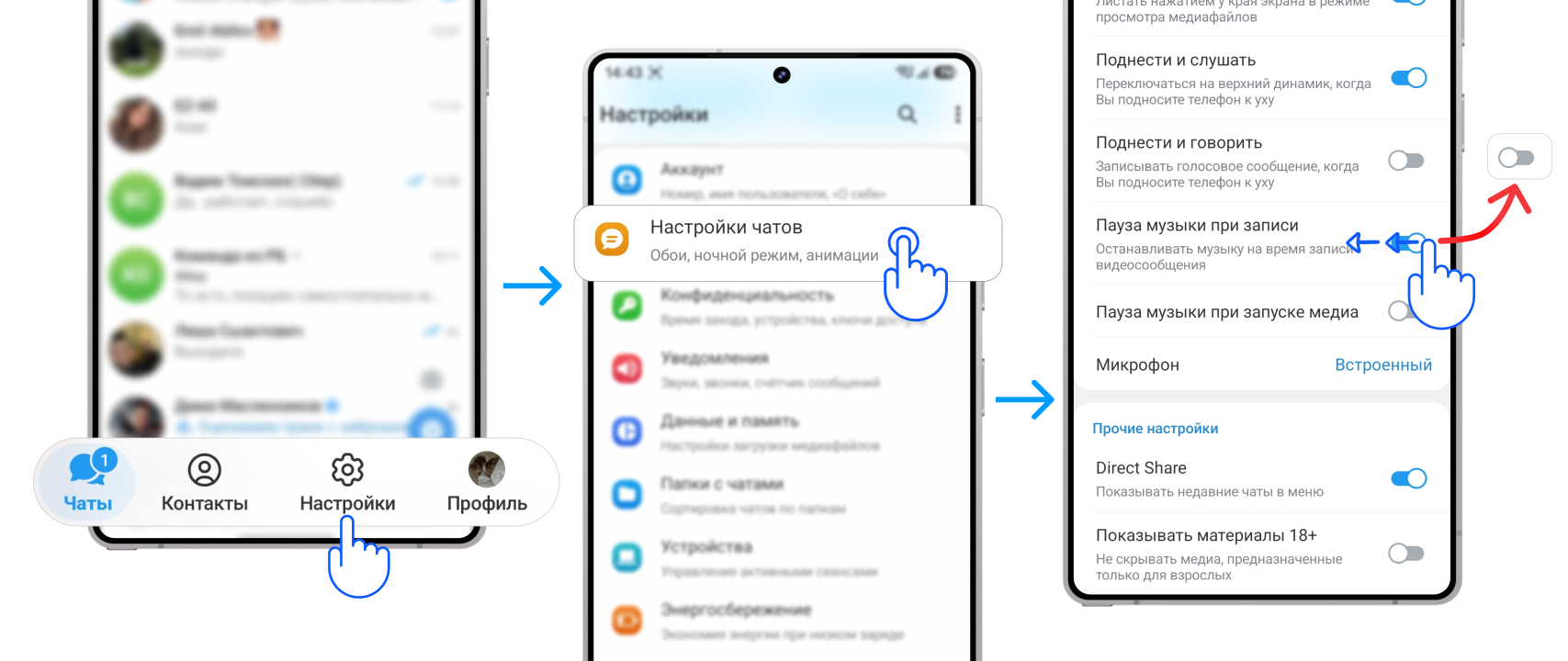
Now you can record a video message with music.
How to make a video message from a video with music
To make a video message from a video with music you will need the “Video to Circle” Telegram bot.
Start the bot → choose your language → send it your video with music from the gallery.
The bot will reply with a ready-made video message that you can forward to any chat or channel:
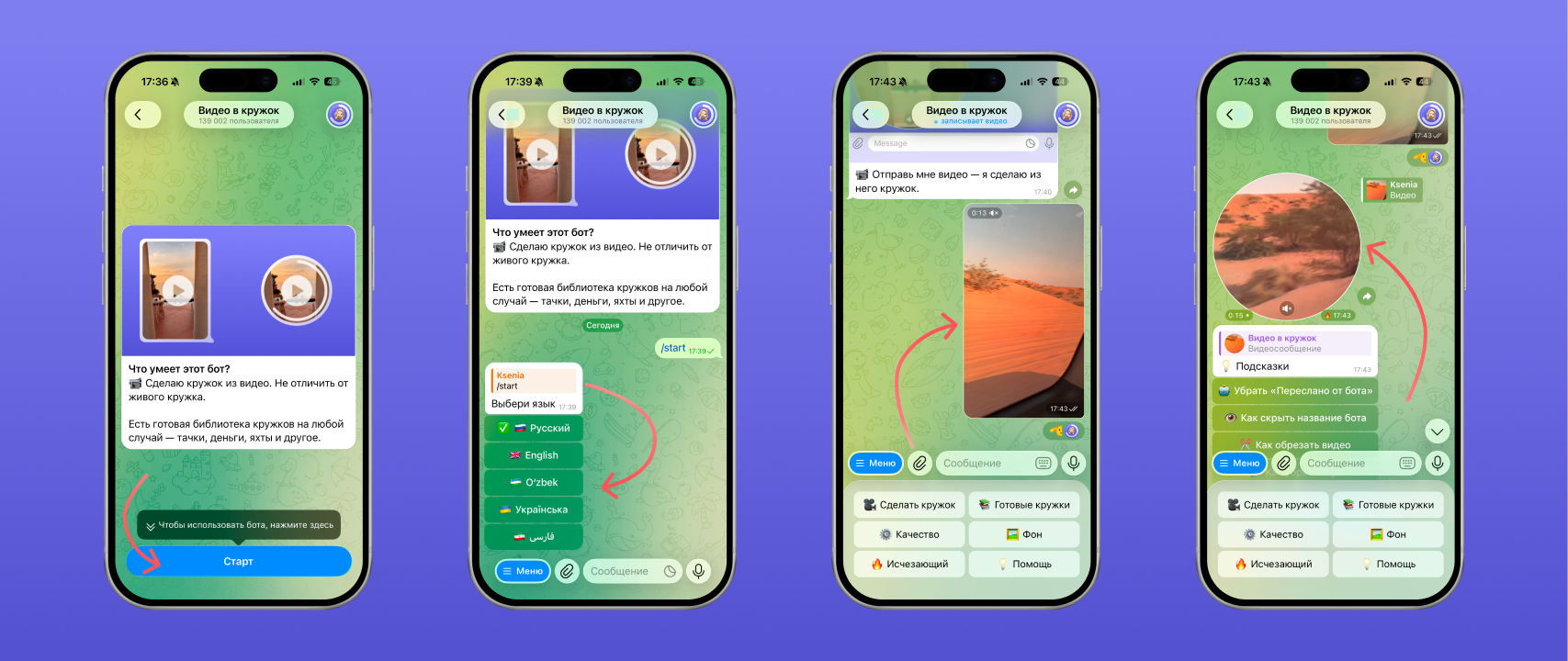
How to share the video message without the bot’s label is covered in our article “How to forward a video message without the ‘Forwarded’ label on Telegram”.
Why a video message comes out without sound
A video message can come out without sound for several reasons:
- Telegram has no permission to use the microphone in the phone settings
- Wireless headphones are connected to the phone — the sound is recorded through their microphone while the headphones are not near you
- The phone’s microphone was accidentally covered with a finger during recording, so no sound was captured
FAQ
Can you add music to a video message that is already recorded?
No. Telegram has no built-in editor for recorded video messages.
Why is the voice hard to hear in a video message because of the music?
It is down to the phone’s microphone. While you record a video message, the phone tries to capture both the loud music and your voice at the same time. To fix it, turn the music on your phone down a little before recording or speak louder.
Can you add several tracks to a video message?
Not directly while recording in Telegram, because the phone cannot play several songs at once.
See also
- How to delete, trim and save a video message on Telegram
- Disappearing video messages on Telegram: how to send a one-time one
- How to make a 60 fps video message on Telegram without lag
- How to forward a video message without the “Forwarded” label on Telegram
- How to record a video message (circle) in Telegram on iPhone and Android
- How to make a video message from a photo on Telegram
- Reactions in Telegram video messages: how to turn them on with gestures
- How to record a video message in MAX and make one from a video
- Why a video message won’t send on Telegram and what to do